Find us on Google+
Showing posts with label bullets. Show all posts

Wednesday, May 25, 2011

Elevator Pitch

Yesterday I was in a conversation (it was at a coffee shop, not in an elevator) about PowerPoint. I had just a few seconds to pass on the most important things that I've learned about using PowerPoint to someone. I wanted to share what it takes to make a good presentation and how to avoid a bad presentation. This short summary of an idea is often called an "elevator pitch" since it's the encapsulation of an idea that can be shared while taking a short elevator ride. Usually an elevator pitch is about 30 seconds and no more than one minute.

My elevator pitch for using PowerPoint was this (and largely based on the work of Guy Kawasaki):
Use one slide per point that you have to make. Make your points between 2 and 5 minutes long. Use images that take up the entire slide. Keep the text on your slides short and in a large font. Never, ever read from your slides or use bullet points. 

What would your elevator pitch be for using PowerPoint?

Tuesday, April 19, 2011

Even Microsoft Gets It

Over at Microsoft's very own PowerPoint blog they point out that wrapping words around an image is just a bad idea. Avoid it, they say. Use a document creator tool, they say. Keep PowerPoint simple, they say.

That's what everyone else has been saying all along. Get rid of the bullet points and the text and focus on communicating visually through the powerful medium that PowerPoint provides. An image with just a few words is all it takes to convey a powerful message.

I know that PowerPoint automatically generates bullet points when you start typing text into the pre-selected text field. I'm sorry. Don't use it. Don't give in. Each slide should, as a general rule, be one, large picture with no more than six words.

The example here is from a recent presentation that I completed. Notice that it says a lot with very few words. I let the image do most of the communication and the words just give a framework for the image to put it into some sort of context.

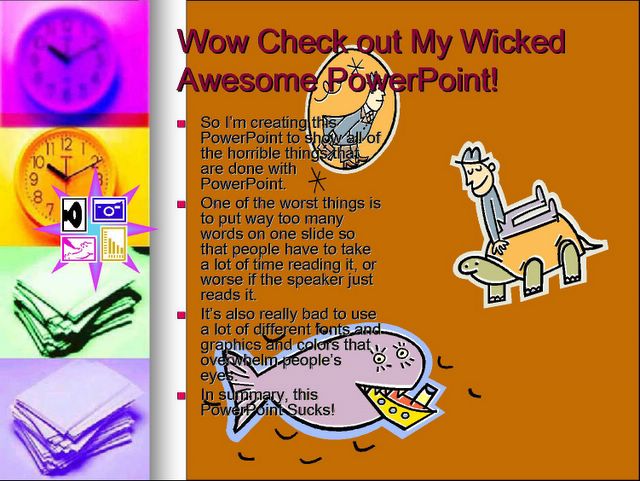
Even Microsoft understands that PowerPoint should be used more like this and less like this:

Wednesday, April 28, 2010

Death By PowerPoint redux

Yesterday the New York Times ran an article about how PowerPoint is used in the military. The picture here is a slide made famous for its obfuscation of meaning.

This military has PowerPoint as an inescapable reality of their daily life with many military leaders spending the majority of their time creating PowerPoint slides.

The problem isn't the program, but the purpose. If this is just a tool to display bullet points and and means for projecting your handouts, then stop. Stop it.

But if you are using software to display graphic information that adds to your talk and supplements your handouts, then you have the elements for transformational communication. The issue is not with the program, but with the presenters.

Is PowerPoint an inescapable reality in your church?

Wednesday, September 16, 2009

Ninja bullet dodging


Your friendly neighborhood PowerPoint Ninja recently posted on how to do bullet points well.

Now, if you know me, you know that I don't really dig the bullet points. But El Ninja (for those of you who don't speak Spanish, that's "The Ninja") points out that sometimes bullet points are really the best way to communicate your information. I wouldn't use them in a sermon, but perhaps in a presentation about a church's vision or mission.

He identifies six key areas to focus on in improving bullet lists:
1. Consistency
2. Bullets
3. Layout/Structure
4. Usage / Text Density
5. Content
6. Delivery

The focus of this lesson is on consistency:
When it comes to bullet points, parallelism is your friend. Parallel bullet points are easier to read and understand. Poorly-formed bullet points frequently have the following parallelism issues:

  • Verb vs. noun: Try to start all your bullet points with the same structure - verbs with verbs or nouns with nouns.
  • Present vs. past: Make sure the tense of your bullet points is consistent.
  • Capitalization: Capitalize the beginning of your bullet points the same way.

Good stuff here. How do you deal with bullets?