Find us on Google+
Showing posts with label microsoft. Show all posts

Tuesday, May 24, 2011

SlideFest: Microsoft's Presentation Competition (Update)

The voting ended yesterday. Thanks to all of you who voted for me. I ended the competition with my two presentations in 10th and 11th place out of the 24 that were selected as finalists for the voting. But there were over 1500 submissions to the competition, so I'm happy with the achievement. One other notable thing: I'm the only person who had two presentations in the finals.

I'm happy with the presentations that I put together, but I also feel like there's a lot more that I've learned through the process of creating them. Stay tuned for more.

If you want to catch up you can see my presentations here: "Stage Fright" and "Neural Pathways"

Tuesday, April 19, 2011

Even Microsoft Gets It

Over at Microsoft's very own PowerPoint blog they point out that wrapping words around an image is just a bad idea. Avoid it, they say. Use a document creator tool, they say. Keep PowerPoint simple, they say.

That's what everyone else has been saying all along. Get rid of the bullet points and the text and focus on communicating visually through the powerful medium that PowerPoint provides. An image with just a few words is all it takes to convey a powerful message.

I know that PowerPoint automatically generates bullet points when you start typing text into the pre-selected text field. I'm sorry. Don't use it. Don't give in. Each slide should, as a general rule, be one, large picture with no more than six words.

The example here is from a recent presentation that I completed. Notice that it says a lot with very few words. I let the image do most of the communication and the words just give a framework for the image to put it into some sort of context.

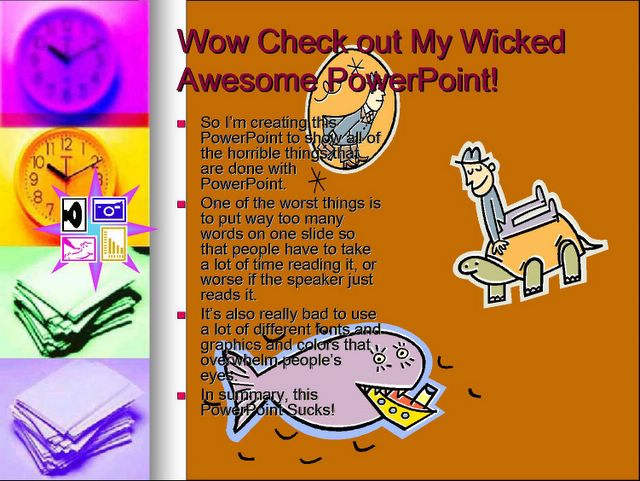
Even Microsoft understands that PowerPoint should be used more like this and less like this:

Monday, November 22, 2010

Windows at 25 years old.

In late November 1985 Microsoft released a graphical shell to its popular Disk Operating System (MS-DOS) called Windows 1.0. Paul Thurrott offers a great look back at the early years of Windows and how the computer market transformed from a landscape of endless possibilities with several companies driving innovation to the one we have today where Windows is the dominant force in the industry with Apple having a solid minority.

With the shift from a text-based interface to a graphical interface (largely driven by Apple, Amiga, and Atari) computers became more accessible and understandable to the average user.

I've been using Windows machines for about the last 17 years. How long have you been using Windows (or Mac, or Amiga)?

Tuesday, October 12, 2010

Embed PowerPoint Presentations to the Web

The ability to embed presentations isn't new by any stretch. But it is a new feature native to the PowerPoint ecosystem. I've highlighted solutions like SlideShare in the past. The benefit to using native PowerPoint features is that you don't have to convert the file and run the risk of formatting getting messed up in the process. But you still don't have any transitions and the interface is relatively slow and clunky. I especially miss the ability to sync up an mp3 with the presentation when I'm hosting sermons that I've preached. Since my philosophy is to have the visuals be a secondary source of communication it's important to connect the verbal channel as well.

Embedded below is a PowerPoint presentation from the Microsoft site.

Monday, May 17, 2010

Office 2010 Web Apps - initial impressions

I sat down at my computer and thought I would do a quick review of the new online component to Microsoft's Office suite. I had heard through the tech news that it was released last week and I wanted to give you a look at it. Oops.

The first sign that something was wrong was when I searched for it and I saw the result: "Office Web Apps - download to use" Um, why would I need to download anything for a web application?

So the second thing that I found out, is that I can use some of the online component with Office 2007 (without having to download the 2010 beta), but when I clicked through, it told me I needed to be using Internet Explorer, Firefox, or Safari - no Google Chrome support. I used my IE emulator extension in Chrome and got in.

I clicked to start a new presentation - and it opened my desktop copy of PowerPoint. That's not a web app!

I did some more reading around and I've discovered that the Microsoft online solution is really only designed for those who already have Office installed on their machine and it only provides online storage and collaboration options. For me this is basically useless, but that's just for me.

I'll post more as I know more.

Wednesday, May 12, 2010

Microsoft's Upgrade Path

I'm not sure if I should fault Microsoft or the people using their products, but there is a huge problem with the upgrade timelines in the wide world of MS. I know several people who just made the switch from MS Office 2003 to 2007 and within a few weeks the boys in Redmond are going to drop the next version (2010 - original naming scheme here, guys).

If people are one full version and three to seven years behind what you're doing, then there is a fundamental disconnect. I know most people would talk about upgrading software when they upgrade their computers. They would also say that it takes three to seven years for MS to get a program to run with stability. Good points all.

Where is the disconnect between you and your church? What can you do to close that gap?

Monday, May 10, 2010

Microsoft Office 2010 Online Coming This Week

A quick note to let you know that the next version of Office will include an online component and that will be launching this week. Stay tuned for more. You can find a review here.

Tuesday, May 04, 2010

PowerPoint 2010 Preview

Microsoft Office 2010 is coming out very soon (currently scheduled for June 15th), so I thought I would highlight some of the features in the new version of PowerPoint.

The video below is pretty impressive considering that it was created entirely using the new version of PowerPoint. They added in some new transitions and effects that will be really helpful in narrowing the gap between PowerPoint and Keynote.

I also really like that within the program you will be able to crop video to the length you want to show and have a fairly robust photo editing solution. Those two things will drastically speed up my ability to create presentations.

Which of the new features are you most excited about?