One of the problems that most of us (me, this is my problem) have with photo editing is that we don't really know how to take or develop good photos in the first place. There was a whole culture of photographers with a specialized language (contrast, white balance, composition, etc.) that existed before computers and digital cameras came along. Then photo editing software was written by and for photographers and graphic designers so it's very much like learning a new language. When I first sat down with Photoshop I had no earthly idea what most of the things meant. I still don't know what "Gaussian Blur" means, but I know what it does (in general, don't ask me though). Now there are things like a histogram that I can see on my digital camera if I want, but to me it's all just bumpy lines. For people who know about the science-art of photography it means something.
Getting just a bit of knowledge can make a huge difference in your ability to edit photos well. Take a class at the local community college (and it's a great way to meet people in your neighborhood), read a book or go to a photography exhibit. There are some websites that will help you to understand the fundamentals of photography like "Basic Principles of Photography" and "Principles of Photography."
Composition refers to the elements in a picture and where they are in the shot. The rule of thirds is a compositional help for photographers and photo editors.
Contrast is the difference between light and dark, white and black. Higher contrast will generate a starker image, but may remove some of the subtle details. Brightness is the amount of light from zero (black) to 100 percent (white). Brighter pictures may be easier to see, but the colors get washed out if it's too bright.
Practice taking good photos so you can learn what you want to achieve when you edit photos. Remember, it's all digital, so you can't mess it up. Just keep taking pictures and see what happens. The only way to get better with photos is to get some experience. And that experience will come more easily if you take the time to learn the language.
What photography principles do you find the most helpful? What did I get wrong in this post?
Wednesday, March 23, 2011
Tuesday, March 22, 2011
Photo Editing Basics: Tools
The tools you use to edit photos give you all sorts of options to interact with what you see on the screen. There are selection tools, move tools, filling tools, drawing tools, shape-making tools and erasing tools. Most of those are pretty common and self-explanatory. Use them on a test image a few times and you'll get the basic idea of how things work. Look at the tool palette to the left from Paint.NET (which is my favorite photo editor).
There are a few specialized tools, however, that need some introduction. The "Magic Wand" tool (fourth row on the left in the picture here) allows you to "magically" select the edges of a shape in the picture you're editing. This works well for shapes with defined edges against a solid-color background, but you can essentially click anywhere on the edge you want to to define and the magic wand will select the whole edge automatically. Remove the shape from the picture by pressing "Ctrl+X" and you can paste the shape into another image or fill in the area where the shape was in the original image.
The "Eye Dropper" or color select tool (five up from the bottom on the right) allows you to get the exact color of any pixel on the screen. Select the tool then click on a spot on the screen. That precise color will now be selected in the color wheel in your photo editing software. So if you wanted to fill in a matching color you could then select the fill tool and know that the color would be just the same as the object you selected. This won't work as well for complex shading where there are several subtle varieties of the same color with different saturation and hue (more on that later). But for brightly lit images with solid colors, the eye dropper does wonders.
Finally the "Clone Stamp" tool is a favorite of photo editors (fourth from the bottom on the left), but often misunderstood or not used at all by amateurs. What it does it sets two points on the screen of equal size the you select the distance apart for them. When you click the exact image under the first region is cloned and stamped on the second region defined by the tool. This is a very cool tool if you want to remove a blemish on a face. Just clone some of the normal skin over the blemished skin and the blemish disappears. Typically you need to zoom in pretty far when you're doing this (using the zoom tool that looks like a magnifying glass) so that the effect won't be obvious when looking at the picture zoomed out.
What tools do you find indispensable when editing pictures?
Labels:
paint.net,
photo editing,
photo software,
photo tools
Monday, March 21, 2011
Photo Editing Basics: Layers
One of the more difficult things to figure out with photo editing software like Photoshop or Paint.NET is the inclusion and manipulation of layers. Layers exist within the photo editing software and give you the ability to transform anything under that layer. Imagine a stack of transparent slides, one on top of the other. If you want to draw a funny mustache on the picture, you actually start drawing on the transparent slide over top of the picture. It's essentially the same process in the higher end photo editing programs. Your background layer is you base and you apply different effects over top of that.
Layers allow you to make one set of edits that are independent of other layers. If you put text on one layer you can then move that text around independently of the other layers. If you have more complex effect like light or shadow set up you can move, delete or intensify the effect independent of other effects on the photo.
It will take a while to get used to editing with layers, but it adds quite a bit of power and functionality to the photo editing experience. Spend some time playing with layers (or watch the video below) to get an idea of how layers work. Get familiar with switching between layers.
Note, that when you save a photo in a layered photo editing software that it will use it's own format so that each layer can be preserved. When you save the image as a JPEG format (which you'll need to do to bring the image into PowerPoint), all the layers will be collapsed and you won't be able to undo anything that you've previously done. So, never save over your original image, but rather create an edit-file so you can always start from scratch. Don't save your edited photo as a JPEG until you're done using the editing software.
What tips do you have for editing photos with layers?
Labels:
layers,
paint.net,
photo editing,
photo software,
photoshop
Friday, March 18, 2011
Hey Dr. Nick! or The Lizard Brain and Public Speaking
Hey everybody! Dr. Nick Morgan is a renowned expert on public speaking who writes for Forbes. In the clip below he shares why you're wrong. About communication, that is. The video is about 10 minutes long and it's worth watching, not only for the informative content, but also to see how he engages a group in a conversational manner while still being the expert up front.
Essentially he points out that we have millions of subconscious neurons for every conscious neuron firing so our subconscious brain is far more active and powerful than our conscious. The application to speaking and presenting is that you can't possibly hope to hold everything in your conscious brain and you have no hope of contradicting what your subconscious brain says with your conscious words. Body language will trump verbal language every time they are in disagreement. That makes our task to align our conscious with our subconscious so that they say the same thing and amplify our message.
How would you do that?
Thursday, March 17, 2011
What's with All the Talk about Homosexuality?
Over the last several days I've departed from my normal topic of preaching and using images to talk about this issues regarding homosexuality and the church. You can catch up here (1, 2, 3, 4). It's been a stirring dialog both here and on Facebook. But the truth is that it's not quite the topic for this blog. I took a bit of a field trip. Here's why.
What we talk about is as important . . . no, it's more important than how we speak. For most of the posts on this blog I assume that you know what you're going to preach. That's you're job, and you're the expert at it, so I've been focusing on how to present that message better. How to make the "what" easier to communicate to your people. However in this case I felt compelled to stop talking about "how" for a bit and to focus on "what" for a time. I'm not trying to convince you to believe in any specific way (except to never use bullet points).
What I want to do is to start conversations that we need to have. If you are preaching to a church, there are people with homosexual feelings in your congregation. That's a statistical fact. But our churches tend to project so much hatred and intolerance that they will hide forever rather than have an honest conversation. The same is true for people with depression, addiction and all sorts of sins. They are in your church. You look at them every time you get up to preach. What are you going to say to them? Are you going to speak the love of Jesus or are you going to spew out ignorance that they perceive as hate?
I feel like I've been clear in the previous posts, but let me spell it out for you here. After my study of the relevant passages of scripture, I see that homosexuality is a sexual sin. However it's no worse a sin than greed or slander, and every sin needs light to be removed. Sins will never come to light in an environment of fear, but if you have an environment of non-condemning love then people can feel free to confess their sins and find healing in the body of Christ. Also, I don't think that groups that attempt to "pray the gay away" are effective. Homosexuality doesn't appear to be a choice, but goes much deeper into genetics and core personality. It's wrong of us to ask people to change who they are at a core level. However we can empower them to use who they are for the glory of God within God's kingdom.
Labels:
homosexuality,
jesus,
preaching,
purpose,
reasons
Wednesday, March 16, 2011
Homosexuality and Sex
A part of the reason that the church thinks that homosexuality is such a huge sin is that most of us aren't convinced that sex isn't sinful. We're so influenced by our culture, both secular and Christian, that tells us that sex is sinful, naughty, bad and dirty. But it's also the be-all, end-all experience in human existence. We're given this dichotomous paradoxical view with no healthy way to talk about sex.
I applaud the Simple Marriage blog for talking about things in a open manner. We need more places where we can have open dialog about sex, what it means and what it doesn't mean.
On the side of sex as wrong, the church is afraid to talk about the beauty of sex and the way that it expresses intimate, vulnerable love between two people. We fear that somehow having a conversation about it will make everyone promiscuous or something. These are really awful vestiges of our Puritanical roots that we need to get over if we're going to be God's people in this world. Sex is a creation of God and is beautiful. We need to celebrate it as such. There's an entire book of the bible devoted to the beauty of sex (Song of Solomon, if you don't already know). God wants us to know about sex. But also notice that though sex isn't shied away from in scripture, it's not the center of attention either. One of the books is enough to cover it. Sex is good, but it's not the purpose of life.
On the side that thinks sex is the ultimate goal, we see an endless string of movies that show young men seeking their first sexual conquest so they can prove themselves men indeed. Sex is the object of their quest, the proof of their manliness and the purpose of life. But all along, sex is a joke as well. Dirty jokes abound so that there's no honest conversation about sex, but just a seeking after and joking about the act. Beer ads, TV shows and billboards all spout the message that sex is our ultimate goal, but it's also a joke.
Because of our unhealthy way of talking about sex we don't have a healthy way to talk about sexual dysfunction or sexual sin. Married couples all over have huge problems in the bedroom, and most of them aren't fixed by a little blue pill. Sexual problems are all over the place, primarily because we don't have a safe place to talk about them. So too with sexual sin. Look at all the pastors that are found with pornography addictions or get caught in an affair with a member of the church. We don't have healthy, safe ways to talk about sin and temptation, so sexual sin is pushed under the surface only to bubble to the top at the most inappropriate times.
In this climate, is it any wonder that we can't have an honest, productive conversation about homosexuality?
How could we foster a climate of conversation?
Labels:
conversation,
conversational preaching,
homosexuality,
purpose,
sex
Tuesday, March 15, 2011
Homosexuality and Bias
I've been writing lately about homosexuality and the church, Jesus and the bible because of a post that my friend Mark Adams made asking for conversation about these important issues. I've been blessed and challenged by this conversation to examine what I believe and why I believe it. I left off the conversation yesterday with a discussion of bias. Essentially the way we approach the bible is due to the biases we bring to it. The main biases of the homosexual community are that God wants us to be happy and that romantic relationships make us happy.
I want to interact with that bias a bit based on what Jesus has said and the world we live in. Jesus has never told us that we get to be happy or that God wants us to be happy. In fact he tells us that it's good to be poor, hungry, mourning and persecuted (Matt. 5). Happiness doesn't show up on his radar when he tells us that we need to die, take up our cross and follow him (Mark 8.34-5). It seems more in line with American values than Jesus' values to say that God wants us to be happy: "We hold these truths to be self-evident, that all men are created equal, that they are endowed by their Creator with certain unalienable Rights, that among these are Life, Liberty and the pursuit of Happiness." (Declaration of Independence) That's nearly the opposite of what Jesus calls his followers to: death, persecution and mourning.
My brother was born with a mental handicap that leaves him with the mind of a child in the body of an adult. He's just smart enough to know that he's not as smart as other people. Sometimes I can see the frustration in his eyes. He was born that way. Why would God make him that way if he can't ever be happy? What of the people born with even worse disabilities? If the chief end of life is to be happy, what do you say to the person born with no legs that only wants to run and jump? They will never be happy, according to the standards of the homosexual bias, does that mean that God doesn't love them?
What if God would rather that we be free, whole people rather than happy? He could make us all happy, automatons blissfully going through our lives with no free will and no pain. But for some reason he chose to give us freedom. The only good thing I can figure could come from our free will is the ability to love. To choose to love with doubt and questions fully intact. But because of our free will this world is horribly broken. Every human being has chosen against love, and our world is falling apart. Sickness, disease, deformity and pain are all symptoms of a broken world. God doesn't want us to be ignorantly blissful in our pigpen of a world. He wants us to be healed and whole so we can love him and each other from a place of health and beauty. We work to mend our broken world to help more people find wholeness and freedom. What if God wants to show us how to love our neighbors and what if that takes pain? What if we aren't called to be happy?
Is this a fair critique? What have I missed? Where am I wrong?
Labels:
bias,
happiness,
homosexuality,
jesus,
mark adams
Monday, March 14, 2011
Homosexuality and the Bible
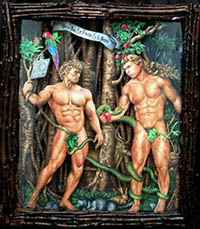
| Adam and Steve in the Garden of Eden |
When reading the bible we all have our biases that affect how we read and interpret scripture. The bias of a patriarchal society allowed some people to read the bible as teaching the subjugation of women. The bias of being slave owners allowed some people to read the bible as being in favor of slavery. As our biases change, so too does our reading and understanding of what the bible says. First it's important to look honestly at our biases and see how they're affecting our reading of God's word.
The typical Christian bias is that homosexuality is a sin and that the bible teaches against homosexual relations in a strong manner (though we saw that there are only just a few passages on the topic). It's no wonder that when we come to the bible that we see a condemnation of homosexuality if that's exactly what we expect to find there before we open the book. If we aren't willing to move the conversation to the level of bias we won't be able to move forward. What if the standard Christian bias is wrong? That's exactly the question that we're asking homosexual Christians to consider.
In conversations that I've had with homosexual people and people who interpret the bible to say that homosexuality isn't a sin I think I've identified a couple biases that inform their interpretation of scripture. Please note, this is my opinion based on personal conversations, I welcome corrections and critique. The first bias has to do with happiness. The essential argument is that God must want us to be happy and that romantic relationships are key to happiness. The second bias is that homosexuality is an innate trait rather than a chosen behavior.
There is growing evidence that homosexuality is, at least partly, controlled by genes. Numerous people have gone through gay-cure programs such as Exodus International. And while there is a good deal of debate about the "success" of such program (Exodus won't even comment on the topic), there are many who come out feeling hurt by the process of rejecting who they have been their entire lives. I couldn't choose to be heterosexual, I just am. It follows that homosexuals can't make the choice either.
The first bias of homosexual theology essentially says that God wants us to be happy. Here's where I think the conversation needs to focus. Does God really want us to be happy? Is our happiness inextricably tied to our ability to love whomever we want?
I'll keep discussing this point tomorrow. What do you think?
Labels:
bible,
church,
exodus international,
homosexuality,
jesus,
mark adams
Friday, March 11, 2011
Homosexuality and the Church
Continuing the conversation from yesterday about Jesus and the homosexual community, I want to think a bit today about what the church needs to do. If we're going to have this conversation, it needs to be based in what the bible says. A conversation can't happen when we're shouting at each other. I learned this from Carroll Osburn in his book: Women in the Church: Reclaiming the Ideal
, which looks at the different sides of the issue of women in the church in a fair and reasonable manner. Essentially the conversation can't happen between the extremists. People holding signs saying that God hates homosexual people are not likely to do anything but shout, and the radical, vociferous minority of the homosexual community won't listen or respond coherently either.
We need to have an honest, theological and scriptural discussion not an argument. Stanley Grenz has a highly recommended book that presents different biblical interpretations and lands on the idea that the church ought to be: Welcoming but Not Affirming
. In it he lays out both sides of the issue and looks at the scriptural underpinnings of the debate.
The reality is that there is a dearth of scriptural teaching on this point. We have all of four passages in the bible that mention it at all: Leviticus 18:22 and 20:13, 1 Corinthians 6:9-10 and Romans 1:26-27. Some would also cite the destruction of Sodom and Gomorrah as a condemnation of homosexuality since the men of the city wanted to have sex with the angels visiting Lot. However Genesis 19 isn't clear about the reason for the destruction of the city.
Leviticus is the most clear about what the actual act being prohibited. It only covers male homosexual acts, however and doesn't condemn all homosexuality. Some would argue that this is due to the patriarchal society which sees women as unnecessary of mention. There is thought that the homosexual practice being prohibited is not a loving, consentual relationship, but rather cultic practices that relate to the worship of the Canaanite gods. Similar to tattoos and beard trimming that were both outlawed in Leviticus for what appears to be the purpose of keeping the Israelites from idol worship. Christians have dismissed the teaching about beard trimming, by and large, and many Christians don't see a problem with tattoos. The same reasoning could be used to dismiss the commands about homosexuality in Leviticus.
In 1 Corinthians we see a list of things that will exclude people from the kingdom of heaven, one of which is being a "homosexual offender." This could be taken to mean anyone who has homosexual relations, but within gay theology they argue that this is actually in reference to homosexual pedophilia which was common in Roman and Greek culture where an older man would take a young boy as a lover. Their argument is that Paul is outlawing, not the relationship between two adults, but the dominant relationship of a man over a boy as sinful.
Romans gives us the only teaching about female homosexuality in the bible. To me, this is the most difficult one to dismiss, as it is fairly clearly talking about both men and women and apparently adult relationships. It takes more exegetical gymnastics to get around this passage. You could say that Paul is discussing temple prostitutes again. Or it could be a discussion of the ways in which sex and rape were used to exert dominance over weaker people and to fill them with shame, pointing out that everyone is shamed by such acts.
I think that's the basis for a biblical discussion. I believe that the bible teaches that homosexuality is a sin, but it is in no way a greater sin than others. Paul lumps it in with being drunk, greedy or a slanderer. Truth be told, Christians slander homosexuals regularly. It's time to stop slandering and start conversing so that we can understand each other.
What do you think?
(Note: book links earn me a small commission on any purchases).
We need to have an honest, theological and scriptural discussion not an argument. Stanley Grenz has a highly recommended book that presents different biblical interpretations and lands on the idea that the church ought to be: Welcoming but Not Affirming
The reality is that there is a dearth of scriptural teaching on this point. We have all of four passages in the bible that mention it at all: Leviticus 18:22 and 20:13, 1 Corinthians 6:9-10 and Romans 1:26-27. Some would also cite the destruction of Sodom and Gomorrah as a condemnation of homosexuality since the men of the city wanted to have sex with the angels visiting Lot. However Genesis 19 isn't clear about the reason for the destruction of the city.
Leviticus is the most clear about what the actual act being prohibited. It only covers male homosexual acts, however and doesn't condemn all homosexuality. Some would argue that this is due to the patriarchal society which sees women as unnecessary of mention. There is thought that the homosexual practice being prohibited is not a loving, consentual relationship, but rather cultic practices that relate to the worship of the Canaanite gods. Similar to tattoos and beard trimming that were both outlawed in Leviticus for what appears to be the purpose of keeping the Israelites from idol worship. Christians have dismissed the teaching about beard trimming, by and large, and many Christians don't see a problem with tattoos. The same reasoning could be used to dismiss the commands about homosexuality in Leviticus.
In 1 Corinthians we see a list of things that will exclude people from the kingdom of heaven, one of which is being a "homosexual offender." This could be taken to mean anyone who has homosexual relations, but within gay theology they argue that this is actually in reference to homosexual pedophilia which was common in Roman and Greek culture where an older man would take a young boy as a lover. Their argument is that Paul is outlawing, not the relationship between two adults, but the dominant relationship of a man over a boy as sinful.
Romans gives us the only teaching about female homosexuality in the bible. To me, this is the most difficult one to dismiss, as it is fairly clearly talking about both men and women and apparently adult relationships. It takes more exegetical gymnastics to get around this passage. You could say that Paul is discussing temple prostitutes again. Or it could be a discussion of the ways in which sex and rape were used to exert dominance over weaker people and to fill them with shame, pointing out that everyone is shamed by such acts.
I think that's the basis for a biblical discussion. I believe that the bible teaches that homosexuality is a sin, but it is in no way a greater sin than others. Paul lumps it in with being drunk, greedy or a slanderer. Truth be told, Christians slander homosexuals regularly. It's time to stop slandering and start conversing so that we can understand each other.
What do you think?
(Note: book links earn me a small commission on any purchases).
Thursday, March 10, 2011
Homosexuality and Jesus
My friend Mark Adams posted a thoughtful blog on how churches can move forward on the gay issue. You should read his post, it's well worth your time. He made four main points:
- The church needs to reclaim an understanding of what it means to be a "redemptive community."
- We need to teach about how to live a Christ reflecting life more than we need to condemn wrong living.
- We need to think about how the "weakness" of homosexual attraction can be a strength in the kingdom of God.
- We need to develop a high value for single people in the church and ministry.
I want to look at the issue from a different perspective in the context of what Mark has already said so well.
Jesus spent a huge amount of his time and effort in ministry reaching to the marginalized and showing them love. Take the Samaritans for example, they were a people that were hated by the Jews and rejected from any Jewish functions so they had to find a place to worship God on their own. The Jews blasted the Samaritans for being sinful half-breeds who couldn't know God because of the way that they were born. There was no place for the Samaritans in the Jewish world, so the Samaritans created their own world parallel to, but separate from the Jewish world. Jesus rejected this separation and showed grace and love to the Samaritans. He even used the despised people as examples of right living on numerous occasions.
You probably already see the analogy I'm making. Today the homosexual community is hated by Christians and rejected from any Christian functions so they've found ways to connect to God on their own, including the creation of a Gay Church. Christians deride homosexual people for being sinners and unable to connect with God, even though there is strong evidence that they are born with homosexual feelings. There is no place for homosexuals in the Christian world so they've created their own world and society.
What would Jesus do today? Would he call us to the marginalized again? Would he call us to see examples of right living in the homosexual community?
Notice that Jesus never condoned sin. When he was talking with the Samaritan woman he didn't tell her that her lifestyle was good, but he treated her with respect and dignity that no one else would offer. We can, and must be people of love that show respect and dignity to everyone of God's children. Gay, straight, black, white, male or female. God loves them all with tenderness and compassion and his love is no less due to anyone's sins.
What do you think?
Labels:
gay rights,
homosexuality,
jesus,
mark adams
Wednesday, March 09, 2011
Photo Editing Software Roundup
Photo editing software is going to be necessary at some point. You'll need to crop, remove red-eye or completely transform an image. The level you get into things is really up to you, but you need to have some tools at your fingertips.
Many thanks to Lifehacker for their useful Hive Five series that gave me a list of the five best image editing tools and the five best online image editing tools.
Desktop software:
Adobe has a slew of photo editing tools that have become the standard in the image editing industry. Photoshop has even become a verb to denote editing an image. The $700-$1000 price tag means that only professionals are going to use the high end software. The next level down is Lightroom which is about $300 and offers all the photo organizing and editing tools that most people will need. Lightroom is focused on giving photographers a way to mess with the pictures they've taken rather than the full on graphic design done in Photoshop. The most stripped down version is Photoshop Elements for $99 which offers great resources and tools (and probably more than most people will ever need). Think of it as what the full Photoshop was three or four years ago.
In the Free Open Source Software (FOSS) camp are GIMP and Paint.NET, which is what I use by the way, I use it because it's free and because it has most everything that I could ever want. I was able to make the graphic header for this blog with Paint.NET and there are a lot of other options available. Basically the difference between Paint.NET and Photoshop is that you'll have to do a lot of things manually in the FOSS that are automated in the Photoshop family. How much are you willing to pay for convenience?
Google offers the Picasa photo organizing software that also has quite a bit of editing power baked in. Just like you can click "I'm Feeling Lucky" when searching with Google, you can click it in Picasa and the software will automatically crank out the adjustments to the image that it thinks are best. If you have a huge database of images with people in them, Picasa has a handy face recognition feature that is fairly accurate. This is also free.
Online Tools:
There are several online image editing tools that allow you to upload your image to their website, edit it and then download the finished product. Most of them share similar features, what sets them apart is the speed of the software. Lifehacker prefers Aviary, but there's also Pixlr, and SumoPaint to consider. If you want to use the Adobe software they now have an online version of Photoshop. Finally, when I need to edit photos onlineI use Picnik because I like the interface and because you can install it as an app in Google Chrome.
Update: Unfortunately, Google is closing the doors on Picnik, effective April 19, 2012. It's probably a good idea to start learning another online application, if Picnik has become your go-to online photo editor.
What tools are your favorite?
Many thanks to Lifehacker for their useful Hive Five series that gave me a list of the five best image editing tools and the five best online image editing tools.
Desktop software:
Adobe has a slew of photo editing tools that have become the standard in the image editing industry. Photoshop has even become a verb to denote editing an image. The $700-$1000 price tag means that only professionals are going to use the high end software. The next level down is Lightroom which is about $300 and offers all the photo organizing and editing tools that most people will need. Lightroom is focused on giving photographers a way to mess with the pictures they've taken rather than the full on graphic design done in Photoshop. The most stripped down version is Photoshop Elements for $99 which offers great resources and tools (and probably more than most people will ever need). Think of it as what the full Photoshop was three or four years ago.
In the Free Open Source Software (FOSS) camp are GIMP and Paint.NET, which is what I use by the way, I use it because it's free and because it has most everything that I could ever want. I was able to make the graphic header for this blog with Paint.NET and there are a lot of other options available. Basically the difference between Paint.NET and Photoshop is that you'll have to do a lot of things manually in the FOSS that are automated in the Photoshop family. How much are you willing to pay for convenience?
Google offers the Picasa photo organizing software that also has quite a bit of editing power baked in. Just like you can click "I'm Feeling Lucky" when searching with Google, you can click it in Picasa and the software will automatically crank out the adjustments to the image that it thinks are best. If you have a huge database of images with people in them, Picasa has a handy face recognition feature that is fairly accurate. This is also free.
Online Tools:
There are several online image editing tools that allow you to upload your image to their website, edit it and then download the finished product. Most of them share similar features, what sets them apart is the speed of the software. Lifehacker prefers Aviary, but there's also Pixlr, and SumoPaint to consider. If you want to use the Adobe software they now have an online version of Photoshop. Finally, when I need to edit photos online
Update: Unfortunately, Google is closing the doors on Picnik, effective April 19, 2012. It's probably a good idea to start learning another online application, if Picnik has become your go-to online photo editor.
What tools are your favorite?
Labels:
online tools,
photo editing,
photo software,
photo tools,
photoshop
Tuesday, March 08, 2011
Photo Editing within PowerPoint
![]() |
| Insert Picture |
Once you've got that picture all nice and cozy in your PowerPoint slide you can start to manipulate and edit the image to be where you want it and to look like you want it. The software automatically switches you to the "Picture Tools" tab when you insert or click on a picture.
Within the "Pictures Tools" tab you have quite a few options like cropping the image, adding different effects to the picture, resizing the picture or moving the image around on the slide. One set of commands that I use quite a bit are the alignment commands in the upper right. Click on the "Align" button then click "Align Center" to put your picture exactly between left and right. Click "Align" again then click "Align Middle" to put the image directly between the top and bottom. Now it's perfectly centered on the slide.
Look over at the left hand side and you'll see the bulk of the photo editing options within PowerPoint. Here you can tweak the brightness, contrast and color of the image. Use the "Compress Pictures" button once you're done editing to reduce the size of your presentation. Use "Change Picture" to find a completely different image. Click "Reset Picture" to clear off all the changes you've made and start editing from scratch.
Click on "Brightness" or "Contrast" and you'll see a series of options either greater or less than zero percent with zero being normal. Hover your mouse over any of the options to preview what the picture will look like. This is mildly helpful, but I find that I rarely use this feature. The "Recolor" option however has come in handy a few times.
Click "Recolor" and you'll see several different color options for your image. If you hover your mouse over them you'll see the name and a preview of what it will do to your picture. The "Washout" option is great for producing a watermark effect with an image behind text. Use the "Sepia" and "Black and White" options for an older, more classic look to your slides.
One of the most useful tools is down there at the bottom of the "Recolor" menu that opens up: "Set Transparent Color." With this you can click a color in your image and it will be transparent so you can essentially have a cutout of an image to use with other images or with text on your slide. This will only work for solid colors, but if you have a good stock photo against a background of a solid color it's very useful.
What PowerPoint photo editing Kung Fu do you know?
Labels:
march,
photo editing,
PowerPoint
Sunday, March 06, 2011
A Million Miles in a Thousand Years
Great presentations are about telling a great story. But if you aren't telling a great story with your life, your presentation will have a tough time catching people's attention. Check out Don Miller's book A Million Miles in a Thousand Years: How I Learned to Live a Better Story
about telling a better story with your whole life. It's had a huge impact on me.
What story are you telling? from Rhetorik Creative on Vimeo.
Labels:
Don Miller
Friday, March 04, 2011
Is Controversy Healthy?
Controversy drives our news cycle. It gets one story to the top of the news feed and keeps other stories from being seen at all. At the end of this month, Rob Bell is releasing his next book, entitled Love Wins
where he looks at the end fate of people. The problem is that the promotional material is highly controversial. This has caused some people like, John Piper, to bid him farewell from Christianity. There's no doubt that the controversy will sell books, but it also pits Christians against each other in bitter fights. I'm not sure that the controversy is very healthy, even if it does sell books.
Labels:
controversy,
John Piper,
love wins,
rob bell
Thursday, March 03, 2011
I Might be Wrong
After years of careful study and reflection, I finally admitted that I was wrong. It was tough, but eventually I became convinced that it was best to just change rather than continue to fight against what I know to be incorrect.
My process involved a thorough study of the bible and biblical interpretation including the traditional interpretations alongside the original language and historical setting. I talked with lots of people and reflected throughout the process. I prayed for wisdom and kept reading the bible to look for what God is trying to say through scripture. In the end I became convinced that what I had always thought was actually wrong and that the bible was teaching something different.
I'm avoiding the specific topic (partly because this has happened several times on different issues), because I don't want to derail the conversation by getting into the details of a certain doctrine. What's more important, I think, is to have an attitude of submission to scripture where we recognize that what God teaches through the bible is greater than our opinions or traditions, and if God is teaching something through scripture that contradicts what I've always believed, then my beliefs need to change. It's painful. I don't like it. But in the end it's better for me and it's better for the people of God to actually let the word of God be our authority.
When have you admitted to being wrong? How did you go through the process?
Labels:
bible,
interpretation,
scripture,
study,
word of God,
wrong
Wednesday, March 02, 2011
Sermons that Feed People
I heard a great story from Bob Logan, founder of CoachNet.
He shared about a time when he was preaching at a church and after the sermon someone came up to him and said: "Your sermons don't feed me."
Bob stopped for a moment, then replied: "Thank you for having the courage to come up to me and share that. I really appreciate the bravery it takes to come up and share with me that you still need someone to spoon feed you the Scriptures after 20 years of being in church. That really takes a lot of courage to admit. If you'd like I'd be happy to help you learn to feed yourself."
Talk about holy confrontation! It's biblical (Heb. 5.12-14), it's loving and it's blunt. I love it.
It's also causing me to reorganize my thoughts about what constitutes a good sermon and how I should challenge and teach Christians.
How do you respond when someone says that the sermon doesn't feed them?
Tuesday, March 01, 2011
Photo Editing - March
During the month of March we're going to look at photo editing. Editing pictures is a huge category that could take far more than a month to cover given the short, blog format. In order to be effective at using visuals as you communicate, you don't need to be an expert at editing images, but you do need to know some basics.
I'm thinking of a weekly category something like:
Week 1 - Basic retouching (crop, brightness and contrast)
Wee 2 - Basic editing (cut and paste, lighting effects, text effects)
Week 3 - Advanced editing (merging pictures, full transformation stuff)
Week 4 - Special tools (photo mosaic, panoramas, etc.)
To help me get my bearings and provide the best content this month, I'd love to know what questions you have about editing photos.
Labels:
march,
monthly themes,
photo editing,
photography
Monday, February 28, 2011
Poor February, So Short, So Lonely
It seems like February is the odd month out. Only 28 measly days, not even a 30 day month, let alone a big, tough 31 day month. The best it gets for February is once every four years when it gets an extra day, but even then it's still one day short of being a full month. And to top it all off, no one pronounces the "R" in the right place in February.
Here's my thought: what if we had 13 four week months? Make every month like February. That would give us 364 days, then we could have one day as New Year's Day and every four years we would get a two day New Year holiday to celebrate the leap year.
I move that the new month be called Jamesuary (or Woodtember) to continue the tradition of honoring the person who decided to add the new month.
Who's with me?
Also, I found this guy, only after I came up with my plan.
Labels:
calendar,
february,
fun and games
Friday, February 25, 2011
Don't Lie to Make Friends
I'm not suggesting that any one of you would intentionally tell a lie. But sometimes we can mislead people with information that doesn't paint the whole picture. For example, a recent "study" published by the AIM Group calls Craigslist, "a cesspool of crime." Citing hundreds of crimes committed by people using the free, online classified site to connect with their victims.
In one year, from February 2010 to February 2011 they cataloged 330 crimes linked to Craigslist including 12 murders (10 of which were by the infamous Craigslist Killer). That's staggering and shocking. But that's where this publication leaves off. Not once in the entire study does it mention the number of ads on Craigslist or the number of users participating in the site.
Over the same time that those crimes were taking place, Craigslist had 56 million different people visit the site with half a billion page views. There are about 50 million new ads posted to the site each month (for a total of 600 million new ads a year). So the 330 crimes are out of millions of ads and people participating in the site. That's a crime to user rate of: 0.0006%. More than that is a crime to ad rate of: 0.000055%. Compare that to the lowest crime rate in any US city over 250,000 people (Plano, TX) which is 1.7%. You are 2,884 times more likely to be the victim of violent crime by living in the safest city in America than you are by participating on Craigslist.
So calling Craigslist "a cesspool of crime" is a bald faced lie based on half-truths and poorly constructed research. Do not blindly spout statistics to support your point without first checking the sources. Even if you don't intend to, you might end up lying to people and broken trust is very difficult to mend.
How do you use statistics well in your presentations? How do you protect the truth?
Labels:
AIM Group,
craigslist,
lying,
statistics,
study,
truth
Thursday, February 24, 2011
Prepare to be Favored
If "Luck favors the prepared," then how do you prepare so that you'll be ready when luck happens?
The first thing to do is also one of the The 7 Habits of Highly Effective People
from Stephen Covey: Begin with the end in mind. Essentially, prepare for what you want to happen. So, your first step is to figure out what it is that you want to happen due to your work, your preaching, your presenting, your writing. What's the best possible scenario that could come from your work? That's what you want to prepare for.
Imagine that your best case is that your church will explode with growth as people pour in to get on board with your mission. What would it take to prepare for that? I would think that you would need to have a clearly articulated mission that could be shared by anyone in the church using no more than a pen and the back of a napkin. You would need to have leaders in place to train and equip all the people coming in. And you would need to have the materials to educate new comers about your beliefs and culture. So you would want to prepare by equipping leaders and teachers to share the mission that you clarified. Until you have those things in place, your preferred outcome can't really happen. Now, there's no guarantee that it will happen if you prepare everything just right, but you can make it almost impossible to happen if you don't prepare.
How does the end you have in mind affect the way you preach now? What changes should you make today to prepare for the future you want to see?
(Note: The book link earns me a small commission on any sales.)
The first thing to do is also one of the The 7 Habits of Highly Effective People
Imagine that your best case is that your church will explode with growth as people pour in to get on board with your mission. What would it take to prepare for that? I would think that you would need to have a clearly articulated mission that could be shared by anyone in the church using no more than a pen and the back of a napkin. You would need to have leaders in place to train and equip all the people coming in. And you would need to have the materials to educate new comers about your beliefs and culture. So you would want to prepare by equipping leaders and teachers to share the mission that you clarified. Until you have those things in place, your preferred outcome can't really happen. Now, there's no guarantee that it will happen if you prepare everything just right, but you can make it almost impossible to happen if you don't prepare.
How does the end you have in mind affect the way you preach now? What changes should you make today to prepare for the future you want to see?
(Note: The book link earns me a small commission on any sales.)
Wednesday, February 23, 2011
Luck Favors the Prepared
Louis Pasteur, the creator of the method known by his name, first connected disease to micro-organisms. Through countless hours of experimentation he refined his hypothesis to the point where he could consistently eliminate infection in patients by washing his hands. His theories also led to sterilizing food with heat so food could keep longer. Because of his discoveries untold millions have survived hospital stays that would have killed them previously. Due to his work billions of people have had access to cheaper, safer, longer-lasting food.
Pasteur didn't say: "Luck favors the prepared," but something very close, "Chance favors the prepared mind." Yesterday I mentioned that self promotion is a bit like gambling, you never really know if things will work out. However, you can never be lucky if you don't work hard to put yourself in the right position first. Pasteur may have been lucky to find the reason for infection and food spoilage, but he only did so because he built on the work of scientists before him who discovered microscopes and microbes.
Prepare yourself for possibility that your next sermon will transform your church. Prepare yourself for the chance that your next blog post will get five thousand hits. Prepare yourself, or you won't be ready when and if luck knocks.
How do you need to prepare your mind? What chance are you hoping for?
Labels:
chance,
Louis Pasteur,
luck,
preparation
Tuesday, February 22, 2011
Self Promotion and Rolling the Dice
Working in online media creates some odd situations for the average preacher. One thing that comes up is the self promotion that is necessary to be successful online. If you want to have a good blog you need to find ways to attract readers (please tell your friends). If you want to have a good presence on Twitter you need followers. If you want to connect through Facebook you need to have friends. At some level there is self promotion throughout the process. You gain readers, follower or friends so that you can tell them about what you're doing.
Working online is also a bit like rolling dice. You know what you hope will happen, but you can't accurately predict with will actually happen. My all-time most popular blog post is entitled Jack of All Trades, Master of None. I think it's a good post, but I've felt much more proud of other posts. I've worked harder to drive traffic to my site by mentioning popular search terms (iPad, Android, PowerPoint) only to find that isn't very successful. The one that hits the top results is the iPad and it's a distant fourth place. Sometimes success in online media is a bit like rolling the dice. You just get lucky.
But in order to get lucky you need to be in place to reap the benefits. My one blog post wouldn't have near the impact if there were no other blog posts. Google wouldn't carry my results very high if I hadn't been blogging consistently for over a year. Twitter followers won't appear if you aren't producing good content. Facebook friends won't materialize if you don't sign up for an account.
How do you use online media for self promotion? How has it worked for you?
Labels:
android,
ipad,
jack of all trades,
online,
PowerPoint,
social media
Monday, February 21, 2011
Purposeful use of Technology
Technology isn't necessarily good. I know that my whole blog is predicated on the notion that the use of technology to amplify the message of sermons is a good thing. I still think that, but I don't think that technology is inherently good.
Technology is a tool. We can use it to benefit preaching, ministry and life, but it can also be a tool that pull us apart and divides us from each other. It can feel like we're more connected to people if we have hundreds of friends on Facebook, but our true interaction with them is limited and superficial. Realizing the power of the tool we're using is important.
You wouldn't use a saw to drive a nail because that's not the right use for the tool. It's important to find and limit the use of technology to its purpose. Facebook is a great tool for connecting with lots of people and keeping in touch with old friends, but deep conversations need to be had on the phone or in person (or over Skype). PowerPoint is a great tool for projecting images and video, but it's not the right tool to carry an entire message, nor it is supposed to offer projected outlines and bullet points. If that's what you want to do, create a document and hand it to people rather that projecting it.
Use technology, but use it with a purpose and use it in line with the its strengths.
Labels:
facebook,
PowerPoint,
purpose,
skype
Friday, February 18, 2011
Inserting Video in PowerPoint (part 4) - Saving YouTube Videos
Sure you learned yesterday how to drop that YouTube video into a PowerPoint presentation when you computer is connected to the internet. But what do you do when you need to take the presentation on the road and you don't know if you'll have internet access when you get there? YouTube doesn't have a way to save the videos from the site so that you always have to go back to them to get the content. Unless . . .
The YouTube Options (YTO) extension for Google Chrome allows you to download the YouTube video to your computer's hard drive. First of all, you should probably be using Google Chrome as your web browser. It's fast, stable, and extensible (which means you can add all sorts of goodies to it). YTO shows you a YouTube video and then gives you a few download links underneath the video in either FLV or MP4 format. Either way you'll need to convert it to play nice with PowerPoint, so grab the highest resolution file you can (look for the largest number). This will keep your video from looking too grainy when you project it.
Once you've saved it, convert it into a PowerPoint friendly format (remember how?) and plug it into the presentation. Now that you know this information you're never going to give it up.
What YouTube video needs to go in your next PowerPoint?
Thursday, February 17, 2011
Inserting Video in PowerPoint (part 3) - YouTube Videos
So many good videos are found on YouTube rather than through other media sources. How can you get those viral videos that make everyone stop and stare at a computer screen up on the big screen during your PowerPoint?
The first way to do this is by embedding the YouTube video into your PowerPoint presentation as a streaming video. This means that you will need to have an active connection to the internet during your presentation for the video to play correctly.
Open up PowerPoint and click on the circular Office button in the upper left hand corner, then click on the PowerPoint Options button. Click the Popular link on the left then check the box next to Show Developer Tab and click OK. Now you can click on the Developer tab from the main page. Click on the icon that looks like a hammer crossed with a wrench (for More Tools) then scroll down to Shockwave Flash Object and click on OK. Click-drag a box on the slide to define the area for your new object.
Jump on over to YouTube and grab that video of a baby panda sneezing double rainbows. Click the Share button and grab the URL code by copying it. Head back to PowerPoint and right click on that object you just made. Click on Properties then click Movie. Paste in the embed code from YouTube. Delete "watch?" and replace the "=" with "/" then click the "X" and close it down. You can now play your presentation with the YouTube clip right in it.
Check out the video below for a tutorial to get you up and running.
Labels:
inserting media in PowerPoint,
video,
youtube
Wednesday, February 16, 2011
Inserting Video in PowerPoint (part 2) - Converting Video Files
Often the problem with putting a video clip into PowerPoint isn't just about finding the file, but it's about making sure the video file is in the right format for PowerPoint to play it. There are dozens of video formats, and PowerPoint can play many of them, but sooner or later (sooner) you'll come across a video file that won't play in PowerPoint.
A while ago I highlighted one video conversion tool called FreeMake. Which is drop, dead simple for getting video files into PowerPoint. You open up FreeMake, point to that disobedient video clip and click the big, bad WMV button at the bottom. Ipso-facto, presto-chango, you've got a video that will work. No fuss, no muss.
Another option is to use a program like Handbrake, which is a bit more full featured. But that also means it's a bit more complicated to use. The added functionality means that with Handbrake you can encode video for different devices, for example you could format a video to fit perfectly on an iPod or iPhone. You could tweak the video to play correctly on an iPad or a Galaxy S Tablet.
In Handbrake, you click on the "Source" button in the upper left to point to the video file or DVD (which I'll cover tomorrow) you want to convert, then you can choose one of the preset options from the list on the right or manually select every last feature you want. For getting the video file into PowerPoint you want to choose the "Normal" preset.
If you find yourself converting files nearly every week, you might want to get Handbrake since it can do neat things like batch-convert a bunch of file and it gives you a lot more options for the finished product. If you are just converting video files rarely, then go with FreeMake.
What video conversion stories do you need to share? What's your favorite tool?
Labels:
converters,
FreeMake,
handbrake,
inserting media in PowerPoint,
video
Tuesday, February 15, 2011
Inserting Video in PowerPoint (part 1) - The Basics
Just like with audio clips, there are many reasons why you shouldn't use video clips in your PowerPoint presentations. If you have a short video that will add to your message and help your audience connect with your point better, then you can add the video to your presentation. But don't let me catch you trying to insert just anything or I'll be very cross. OK? OK, then.
The first step is the click on the "Insert" tab (when using PowerPoint 2007 or later, otherwise click on the "Insert" menu). Then click on the "Movie" button and select either "Movie from File..." or "Movie from Clip Organizer..."
If you choose the "Clip Organizer" you won't really find movies, per se, rather you'll see moving images. For example you might find a running cartoon image that will cycle through a set of motions endlessly during your presentation. Don't use these . . . ever. These are cute but pointless and annoying. They will do more to distract from what you're trying to say than to help your point. Do not use these clips.
Choosing a movie file means you point to a location on your computer where a movie is located and then PowerPoint uses its built in media player software (basically Windows Media Player) to play the video clip you selected. Once you get the video into PowerPoint you want to choose how it will play in the presentation. As soon as the file is inserted you are presented with the choice to have the video play automatically or when it's clicked. Automatic means when you get to that slide in the presentation, versus getting to that slide and needing to click again. Slides are cheap, just use a separate slide for the video clip and use the automatic setting.
Then you can see a few check boxes where you can select whether the movie will be full screen when it play or if it will loop continuously (this might be helpful for announcements or something, but you shouldn't do this during your sermon). One of the most important things you can see in the "Movie Tools" tab is the "Preview" button all the way to the left. It allows you to watch the movie and see how it will play in your presentation and on your computer. Hopefully everything will go smoothly and the movie clip will play perfectly.
But if it doesn't there is help to be had . . . tomorrow.
How do you use video clips in your sermons?
Labels:
inserting media in PowerPoint,
tutorials,
video
Monday, February 14, 2011
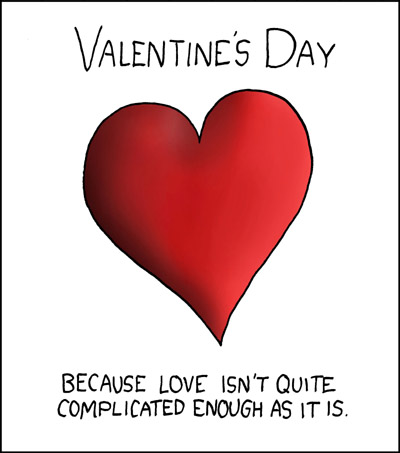
Happy Valentine's Day
Today is a day that many people celebrate romantic love. That's cool (I'm probably going to do something about it too). It's also a day that can be filled with hurt and frustration . Sometimes it's because you significant other (SO) is expecting something that you don't deliver. The lack of communication about and around the expectations for this day lead to a lot of hurt feelings.
It might be a painful day because you don't have an SO to share it with. Today can make it seem like everyone in the world is in a relationship except for you. You can choose to celebrate Singles' Awareness Day as a way to push back against the commercialism of Valentine's Day.
Or you might choose to remember that Valentine was a man who, according to tradition, wouldn't give up on his beliefs no matter what. He married couples in secret when the Emperor wouldn't allow them to marry. He shared his faith, even when it was dangerous. He told the Emperor about Jesus and was killed for it. Remember someone who believed in a way that changed the course of his life and the lives of countless other.
How will you celebrate Valentine's Day?
Labels:
holidays,
singles' awareness day,
valentine's day
Friday, February 11, 2011
Putting Audio in PowerPoint (part 5)
I know that you are feeling the stress of the cliffhanger from yesterday. Today I'm going to let you know what to do if you need to take your PowerPoint presentation on the go, but the audio (or video) files don't embed. Not to fear, the solution is before you.
Plug in a flash drive to the computer where you created the presentation. Then open up that PowerPoint and click on the Office Button in the upper left. Click on "Publish" then "Package for CD" just like in the picture. Type in a name for the folder you're going to create. The presentation you have open is automatically added to the list, but if you want to save more (like if you're going away for a conference) you can click "Add Files" to put in more PowerPoint slideshows.
Choose whether you want the files to play automatically (Viewer Format) or if you just want to copy the files (Archive Format) by clicking the "Options" button. Make sure that the box next to "Linked Files" has a check in it. Click "OK" when you're done.
Next click "Copy to Folder" and point to the flash drive you plugged into your computer then click "OK." This will copy the PowerPoint files and all the linked media to a folder and change the link settings so that the presentation knows where to look for the files when it comes time to play them. Once the copying is complete you should have a fully portable version of your presentation with all the audio files intact.
Note: the presentation will need to be played from the flash drive or the entire folder will need to be copied over to the computer that is running the PowerPoint projector to make sure the files stay in place.
Read more here.
Thursday, February 10, 2011
Putting Audio in PowerPoint (part 4)
Last time our hero was battling to get the audio clip into PowerPoint, but alas, the struggle is not over. Now that you've put that delightful rendition of "Send In The Clowns
" into your presentation you need to make sure that everything is playing correctly.
Notice that when you have the sound icon selected that you see the "Sound Tools" tab. From here you can preview the file, set the volume and tweak the size of the icon. But right smack in the middle are a few important options that need your attention. We already covered hiding the icon during the presentation and the need to play the file automatically rather than when it's clicked.

Look at the other options available. You can loop the sound file until you stop the slideshow. That's your best option if you are going to leave a slideshow running before or after church and you want some background music to go along with the cycling slides. Otherwise you'll have a never-ending loop going as you're trying to preach.
Another option is found in the "Play Sound" drop down menu: "Play Across Slides." That means that the audio file will continue to play until it's done as your presentation moves through several slides. This can be good if you have images that go along with a quote or song that you want to play, but I would use this sparingly. If you really want to do that, make a PhotoStory and embed that video rather than trying to mess with things in PowerPoint.
The other option there is the "Max Sound File Size" which limits the size of a file that can be embedded in a PowerPoint presentation file. If the file is larger than the limit set there it will be linked. Also if the file is anything other that a WAV file (like and MP3) it can't be embedded. That means that if you take the presentation to another computer, the non-embedded files will not go with your presentation . . . unless you do something about it.
Check to see if the audio is embedded by clicking that little box in the corner of the "Sound Options" section of the "Sound Tools" tab. A box will pop up with a few sections. In the "Information" section if it shows: [Within PowerPoint] you know the file is embedded. If it shows the file location you need to start thinking about some other options - hey, you're in luck, I'll tell you those options tomorrow.
Notice that when you have the sound icon selected that you see the "Sound Tools" tab. From here you can preview the file, set the volume and tweak the size of the icon. But right smack in the middle are a few important options that need your attention. We already covered hiding the icon during the presentation and the need to play the file automatically rather than when it's clicked.
Look at the other options available. You can loop the sound file until you stop the slideshow. That's your best option if you are going to leave a slideshow running before or after church and you want some background music to go along with the cycling slides. Otherwise you'll have a never-ending loop going as you're trying to preach.
Another option is found in the "Play Sound" drop down menu: "Play Across Slides." That means that the audio file will continue to play until it's done as your presentation moves through several slides. This can be good if you have images that go along with a quote or song that you want to play, but I would use this sparingly. If you really want to do that, make a PhotoStory and embed that video rather than trying to mess with things in PowerPoint.
The other option there is the "Max Sound File Size" which limits the size of a file that can be embedded in a PowerPoint presentation file. If the file is larger than the limit set there it will be linked. Also if the file is anything other that a WAV file (like and MP3) it can't be embedded. That means that if you take the presentation to another computer, the non-embedded files will not go with your presentation . . . unless you do something about it.
Check to see if the audio is embedded by clicking that little box in the corner of the "Sound Options" section of the "Sound Tools" tab. A box will pop up with a few sections. In the "Information" section if it shows: [Within PowerPoint] you know the file is embedded. If it shows the file location you need to start thinking about some other options - hey, you're in luck, I'll tell you those options tomorrow.
Wednesday, February 09, 2011
Putting Audio in PowerPoint (part 3)
If it seems like I spent a lot of time and effort trying to convince you that audio should be used sparingly if at all in your PowerPoint presentations, it's because I am. It doesn't always work smoothly and it can distract from the message you are trying to share rather than building it up.
So, first things first. Move to the slide where you want to insert the audio clip. Click the "Insert" tab then the "Sound" button and choose "Sound From File..." Hunt around until you find that perfect file then drop it into your presentation by clicking "OK" and wait for PowerPoint to put it in place.
The first thing you'll notice is this funky sound icon. It looks like a little golden speaker. And it must be on the slide where you want to sound to exist. Neat, I know. So, I guess they put it there so you can choose to click on the icon when you want the audio to play as if you'll be sitting there with a mouse during your presentation or something. I don't know.
Make it smaller by dragging any of the handles on the edges (or you could make it bigger, I guess). But what I would rather do is to not have to see it at all. So here's how you can accomplish that feat.
Click on the "Sound Tool" then "Options" tab (it's probably already selected if you just inserted the audio). You need to check the box next to "Hide During Show" and select "Automatically" from the "Play" drop-down box. If you leave it set to play when clicked and the icon is hidden - well, you'll be in trouble, I hope you prepared to present without the audio (like I told you).
Now the file will start playing when you get to that slide and keep playing until the end of the audio clip or until you change slides, which ever comes first. Tune in to our next exciting episode to discover how to keep the file playing across multiple slides and what happens if you try to present on another computer.
Tuesday, February 08, 2011
Putting Audio in PowerPoint (part 2)
Now that you've weeded out the 99% of the times that you should not use audio in a PowerPoint presentation. You can take your 1% and plug it into your slide show . . . but before we get there, another word on using media in your presentation.
Be prepared for it to not work. No matter how much you work and practice and test there will come a time when your clip doesn't play. Maybe the speakers aren't hooked up or the file doesn't get transferred or gremlins eat the audio file. Something will happen to make the media not play. You have to be ready for this to happen and to move on. Keep a printed copy of the quote you were going to play so you can just read it aloud. Don't wait for the sound guy more than about 10 seconds. Don't fret and say to the audience that you're having technical difficulties. Pause for your audio clip and look at the audience with a confident smile. If the clip doesn't play, then smoothly move on with your sermon.
If the clip starts playing after you've started talking again, then just stop and wait for the clip to finish. If the topic warrants you might make a small joke: "No one ever accused ______ of being punctual." Then move on again. Don't apologize. Don't derail. Keep your point moving forward.
Are you scared of putting audio in your sermon yet? Good. It's a lot of hassle and a lot of risk, so it has better be worth it.
Monday, February 07, 2011
Putting Audio in PowerPoint (part 1)
Before tackling the how, I want to first address the why. Just like anything else that you might drop into your presentation, audio needs to have a purpose. Back up and look at your purpose for standing up in front of people. You want to communicate with them. Your purpose for this particular time is that you want to communicate something specific to them. Keep narrowing your focus until you have a clear, specific understanding of what you want to communicate and what effect you want it to have on the audience. Then you can cut out good content for the sake of the overall purpose of your communication.
If you want to add in sound effects for your slides, don't. OK, that may be too broad a statement, but 99% of the time you should avoid superfluous sound effects. They may be fun, but they will rarely add anything to your communication. Sound effects have to be perfectly aligned with your message and add something significant to the point that you are making. If they don't (and they usually don't) then avoid them.
Other audio clips might be more of a grey area. You might want to include a bit of a song or a clip of a speech or sermon that pertains to your topic. Apply the same filter to see if it aligns perfectly with your message and it supports the point you're wanting to make. Then cut off the first and last 30 seconds of the clip. Again, I'm being a bit extreme, but not as much as you might think. If the audio clip is so important to what you're trying to communicate that you have to have it, that's fine, but you are still the one communicating. Don't let the audience move away from your point to the clip. Keep them with you. As a general rule, keep your clips under 30 seconds.
How do you use audio in your presentations?
Labels:
audio,
communication,
purpose,
sound bites
Friday, February 04, 2011
Eye Flow
Yesterday I mentioned "eye flow" when talking about images and frames. The heat map pictures show what that means. These are taken with a special eye-tracking camera that plots where on the screen the test subjects look. Advertisers like to test their work by having people look over it. They can then see what draws people's attention and the flow of eyes over the area. So the heaviest red spot is the place where people look first. It's labeled as "1" then the line goes down and to the right to 2, down again to 3 and 4, then sharply up and to the left for 5. The sweeping pattern repeats all the way through the map.

When you're placing images you want to think about how people will naturally see it. Notice the Apple home screen has one main picture that grabs attention and one main block of text that is closely associated with the picture. There's no doubt that the cat is a snow leopard. That association gives the OS X version all the attributes of the cat that you see, tough, confident, beautiful, mysterious. Eye flow is hugely important to making text and image work together.
Look at the heat map of this next ad that appeared in print. The purse and skirt get a lot of attention, then the legs of the girl, but there is no attention going to the brand name, Diesel. It's out of the eye flow. The slogan gets a lot of eye time, but the brand gets zero.
When you put your images in to your presentation, most of the eye-time is going to be focused on them. Make them good images that support your message and the point that you're trying to make. When you have text it needs to be in the eye-flow path and it needs to support and be supported by the image.
Look at the sweeping ovals from the Apple homepage. Think about where you would want to put text so that it will be along a line like that. Usually the eye will start in the upper right and move down and to the left, then sweep back up to the right. You want to arrange your images and text to work with this (like Apple did) not against this (like Diesel).
How can you arrange your slide to use eye-flow best?
Labels:
advertising,
arrangement,
eye flow,
heat maps,
images
Thursday, February 03, 2011
Full Bleed vs. Framed Images
Most presentation designers suggest using full bleed images. This term comes from photo printing and means that instead of laying down ink right up to the border, the image goes all the way to the edge of the paper. Full bleed images in presentations take up the entire screen space.
Framed images, in your presentation, are set within the boundaries of your screen, rather than going right up to the edge like a full bleed image. Frames break up our sight lines. Our eyes naturally move around an image rather than fixating on one point. Frames define the area where our eyes will move and break up the natural flow.
Sometimes you may want to have an image that is not full bleed. For example when Steve Jobs presents the next iPhone he does't blow the picture up so that the phone fills the entire screen. We need perspective to deal with it and to understand what's going on. But notice that there are no borders dividing the phone from the rest of the slide. This helps to preserve the flow through the slide.
One good reason to use frames to separate the images in your presentation might be if you're showing a juxtaposition. You want to highlight the difference between the two images, so a frame is helpful in getting the eye to focus on each image as it's own entity.
I'm not against using frames in presentations, but it needs to be done with a purpose.
How do you like to show images? What rules do you occasionally break?
Labels:
frames,
full bleed,
juxtapostion,
Steve Jobs
Wednesday, February 02, 2011
Inserting Images in PowerPoint
Perhaps the most basic skill to master in PowerPoint is that of inserting pictures. In PowerPoint 2007 and 2010 they've moved to the ribbon menu system so you have different tabs for each of the major features you might need to use. Getting your pictures into PowerPoint uses the "Insert" tab.
![]() |
| Insert Pictures |
I'm just going to say that you should use the "Picture" button here most often. If I see your mouse stray over to that "Clip Art" button I'm going to be very disappointed. Sure there may be one or two times a year that clip art will be appropriate (I'm not kidding that little), but it should never be a regularly used tool for good presentations.
The next thing you'll need to use is the "Picture Tools" tab. This will only show up when you have a picture selected. So click on the picture you just inserted then look around. Over on the right are the first things you need to look at. Adjust the size and crop of the image. The size of a PowerPoint slide is 7.5" high by 10" wide. Most of your pictures should fill the entire canvas. But don't skew your image to get it to fit. It's better to make your image larger than the slide then crop off any excess bits so the picture doesn't looked stretched and funny. A quick way to make sure this doesn't happen is to click on the dot at the corner of the picture and drag to resize the image while holding down the "Shift" key on your keyboard. The image will keep the same height-to-width ratio as the original.
Crop the excess by clicking that crop button. Now the dots at the corners of the picture have turned into black brackets. Drag the brackets in or out to crop the picture to that size. This can be a quick way to edit photos without having to open up a separate photo editor. Click anywhere off of the image to exit the cropping tool. You can undo the cropping if you want, the rest of the image is still there until you close PowerPoint, so you can play with different views to see what works best.
Play with some of the different Format tools that you can use to change the appearance of pictures. What do you like? What tips do you have for inserting pictures into PowerPoint?
Labels:
cropping,
inserting media in PowerPoint,
pictures,
resizing
Tuesday, February 01, 2011
February - How to Get Things into PowerPoint
Getting a picture into PowerPoint is fairly straightforward, there's even a button for it. But it still takes a bit of effort to get the picture lined up just right in the presentation. It's more difficulty (and sometimes impossible) to get the perfect audio or video clip to play in PowerPoint.
February's theme will highlight some of these challenges and help to find solutions so you can present images, audio and video with ease.
What questions do you have about inserting media in PowerPoint?
What tips do you have?
February's theme will highlight some of these challenges and help to find solutions so you can present images, audio and video with ease.
What questions do you have about inserting media in PowerPoint?
What tips do you have?
Labels:
audio,
images,
inserting media in PowerPoint,
video
Subscribe to:
Posts (Atom)