 Google has added a new feature to their image search that allows you to find similar images. So if you see something you like, you can click on the link below the image to find more like that. Very cool. This is a good way to find images that will work well for you.

Technology for presenting the good news
Thursday, November 05, 2009
Simlar Search in Google Images
Google has added a new feature to their image search that allows you to find similar images. So if you see something you like, you can click on the link below the image to find more like that. Very cool. This is a good way to find images that will work well for you.

Wednesday, November 04, 2009
Cool images that communicate
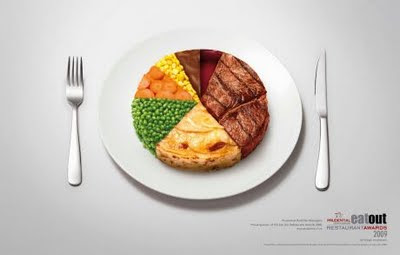 From Slides that Stick comes this image where a pie chart has the data represented with images instead of colors. This is an eye-catching and thought-provoking way to represent the data.
What if in the next budget meeting, there was a pie chart that had pictures of benevolence, missionaries, church buildings, and salaried staff? Would that affect how you budget? Would that help people to realize where their money is going?
How else can we creatively visualize things so as to make a point?
Tuesday, November 03, 2009
Learn from the Pros
Two of the biggest names in presentations are Nancy Duarte and Garr Reynolds and they got together to answer some of the most common questions about presentations. Below is the first of three parts to this video. While what they say is not all directly applicable to the art of preaching, they do have a lot to teach us. I especially like the presentation matrix that Nancy shows. Where do your sermons fall on this matrix? What effect should that have on your work?
Monday, November 02, 2009
Windows 7 - first thoughts
 I've been using Windows 7 for about a week now. I plunked down some green for the upgrade from Vista. Overall, I'm happy with the upgrade. 7 does some cool things that make me happier to use my computer. There are a few bugs and quirks that I am figuring out (like hibernation killing my fingerprint reader), but general operation is just as smooth as before, if not more so.
 Some people have claimed performance increases over Vista. I haven't seen anything overtly noticeable on my machine in just normal use. I did do an in-place upgrade so I wouldn't have to reinstall all my software. Any OS will be faster after a clean install, so take that with the requisite portion of NaCl.
As for presentation stuff, I think Win7 might just have a few killer apps that will make you happy to get a new laptop with it installed. Pressing the Windows Key and 'P' will trigger an easy to understand selection of the display options (computer only, duplicate the display, extend the display, projector only). No more hunting and dinking and pressing Fn+f8 repeatedly while the audience is waiting for you to get started.
I also love, LOVE, the new taskbar. If the Mac and PC characters from the commercials had a baby. The cute kid would be the Win7 taskbar. It does the dock stuff that has been so cool on OSX, but it adds a Windows productivity twist. Jump-lists. If you right click on a program on the taskbar you will see a list of files recently opened by that program (just PowerPoint or Word, not all your recent documents). And you can pin certain files to the list, so say you are working on a PowerPoint presentation and you get to where you are going to present - just access the jumplist and find your file (or pin it there the night before the presentation to make it even easier). One step gets your presentation open and ready! So cool.
Am I gushing? I might be. I'll have more thoughts as I play with things, but my first impressions are favorable. I would say that if you bought your computer in the last year or so and don't plan to upgrade for a while, the Win7 upgrade might be a good move. If you are looking at getting a new machine in the next year or so, just wait and get Win7 preinstalled.
Friday, October 30, 2009
Flame ON!
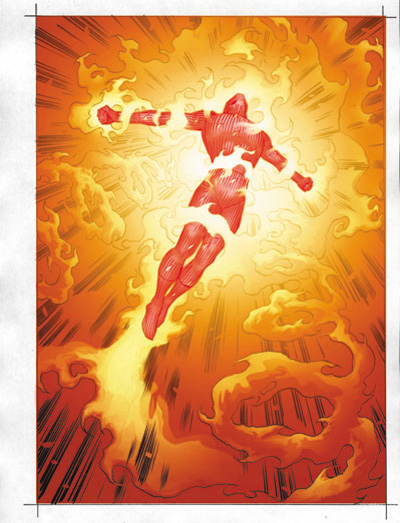 On the good ol' interwebs there's a thing called a "flame war". In discussion forums and on blog comments some people think it's fun to start a fight. They pick out some characteristic or something and attack. Relentlessly. It can be a frustrating experience to be on the receiving end of a flame attack. There's no reasoning with a troll (one who starts a flame war). They just enjoy getting a rise out of people and keeping the argument going.
 This can happen in church too. Have you ever heard: "Some people have told me they don't like the use of PowerPoint"? The 'some people' tactic is usually just a way to make the critique anonymous. The criticizer is basically a troll. They are inciting an argument, complaining for the sake of complaining.
Sometimes, you just need to disengage. Ignore. You can never win a flame war. Ever. Some people just argue and complain. Sometimes you just need to ignore and move on. You can't keep everyone happy. Don't try.
Thursday, October 29, 2009
Halloween and other hollidays
 There are a lot of different opinions about how Christians should interact with holidays. Halloween is one of the most contentious. Should we avoid dealing with evil things? Should we ignore? Should we descry? Should we embrace?
On the one hand, if we completely ignore what is going on in the world we risk becoming irrelevant. But if we completely embrace what the world is doing, we become just as irrelevant.
One thing I like is to interact with the holidays - how has Halloween shaped our culture? How has the church shaped Halloween? Within the conversation is our relevance. Our world is tired of authoritarian commands to think or feel a certain way. They are hungry for a chance to explore and discover for themselves how to think and feel.
Let's provide that opportunity.
Wednesday, October 28, 2009
Windows 7: should you or shouldn't you?

The new version of Windows came out last week. Windows 7 has received some of the best reviews of any Windows product . . . ever. Wired gives it 8 out of 10 filled in circle thingeys.
Microsoft's loyal customers are finally getting the operating system they deserve with Windows 7, and it was well worth the wait.
First, to provide full disclosure (as critics have requested in our previous Windows 7 write-ups) yes, I am indeed a Mac user. But until heading to college, I grew up on a steady diet of Windows. (I made the switch after a system crash that resulted in the loss of an enormous school project.) With that said, Windows 7 thoroughly wowed me, dissolving the grudge I've held against Microsoft for many years.
The latest OS from Microsoft delivers a truly next-generation interface that will transform the way we use our computers, while addressing a number of nagging issues that have turned off Windows users in the past. The Windows team deserves a round of applause.
I'm updating soon. I'll give you my thoughts once I've had some time behind the wheel. However, if the critics are to be believed, this is one upgrade you should make.
Tuesday, October 27, 2009
More Wisdom from Seth
 Seth Godin again shares some thoughts that are valuable for church leaders:
 "Notice me"
If the new web has a mantra, that's it.
So much time and effort is now put into finding followers, accumulating comments and generating controversy... all so that people will notice you. People say and do things that don't benefit them, just because they're hooked on attention.
Attention is fine, as long as you have a goal that is reached in exchange for all this effort.
Far better than being noticed:
* Trusted
* Engaged with
* Purchased from
* Discussed
* Echoed
* Teaching us
* Leading
Sometimes our churches act like this. We preach, teach, worship, and serve just so people will notice us. What if, instead, churches become leaders in the community? What if churches facilitate discussion in the community?
Flashy, well produced images can get you noticed, but sometimes a simple picture of a family that is being helped can have greater impact.
Monday, October 26, 2009
Performance Affects Perception
 I recently saw this article over on Wired and it is just fascinating to me.
 In a study of 23 non-football athletes who each kicked 10 field goals, researchers found that players’ performance directly affected their perception of the size of the goal: After a series of missed kicks, athletes perceived the post to be taller and more narrow than before, while successful kicks made the post appear larger-than-life.
The article goes on to explain that after each kick the participants were asked to use a model to represent their view of the goal post.
Interestingly, the change in players’ perception didn’t just depend on how many goals they missed — it also mattered how they missed their goals. Folks who failed because they didn’t kick high enough perceived the crossbar to be taller, while those who kicked to the side viewed it as more narrow.
Things really do look different to us based on how we interact with them.
So what does this have to do with preaching? As we represent visuals we need to be aware that past experience affects the way people will perceive visual input. If you are wanting your church to reach out to the homeless, it will be difficult for them to overcome their past experience (mental disorders, rude, frightening) until they have a new experience. Take video of a homeless person in your town and interview them about their life. Share that with the church to begin to change their perceptions and start to change their actions.
Friday, October 23, 2009
How to Engage Culture
My friend Mark recently blogged about how Christians should engage culture. He brings up some great thoughts:
How do your sermons create beauty as a critique of culture?
I've never minded addressing matters about which Scripture is clear, such as dishonesty, greed, sexuality, etc., but I've never felt I had a vantage point from which to comprehensively stand in judgment on all of culture. Quite often, I've known intelligent, sincere Christians who have stood on either side of some issues. If we are going to be divisive, it has to be about matters of good versus evil, which simply cannot be glossed over and replaced with Republican versus Democrat, or vice versa.The conversation turned to how Jesus addressed culture in his teaching and preaching. I think that Jesus was bold in addressing the cultural issues of his day, but he never aligned himself with any political or religious party. Jesus spoke in parables that would sneak behind peoples' prejudices and open their eyes to a different kind of culture. I think it was Michelangelo who said the best critique is to create something beautiful. Jesus critiqued culture by creating a better, beautiful culture.
How do your sermons create beauty as a critique of culture?
Thursday, October 22, 2009
What is the Gospel?
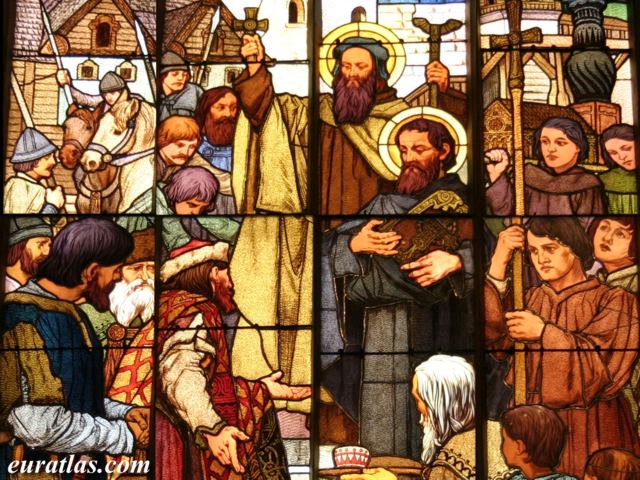
My friend Mike recently blogged about what constitutes the gospel. I like what he has to say:
What to you is the Gospel and where in scripture does this come from?
How much of the Gospel do you hear each week?
Does your minister/radio host/preacher always come back to Jesus even if he is preaching from Song of Solomon or Numbers?
Do you agree that each message should point back to Jesus every week?
I was really excited the way Ike Graul preached the Gospel this past Sunday as our youth group visited PUMP church of Christ. He pointed back to the sacrifice of Jesus and tied it to the Lord's supper. It was a very good way to wrap the entirety of our service to the Gospel of Jesus.
Good thoughts.
How do you preach the Gospel? How do you use images to represent the Gospel?
I like to use everyday things as examples to show how the gospel can be embodied in our lives. I preached a sermon this summer about obedience and I used a picture of a toilet seat. My point was that married men obey their wives and put the toilet seat down because they love their wives. Our obedience to God is also because we love him. That one image is what everyone remembered from the sermon. Go figure.
Wednesday, October 21, 2009
Cable News is Ruining our World
 Seth Godin is a student of culture and often offers insight about things from an entrepreneurial perspective that have great application to church work. Recently he discussed Cable News:
 Cable news thinking has nothing to do with fires or with politics. Instead, it amplifies the worst elements of emotional reaction:
1. Focus on the urgent instead of the important.
2. Vivid emotions and the visuals that go with them as a selector for what's important.
3. Emphasis on noise over thoughtful analysis.
4. Unwillingness to reverse course and change one's mind.
5. Xenophobic and jingoistic reactions (fear of outsiders).
6. Defense of the status quo encouraged by an audience self-selected to be uniform.
7. Things become important merely because others have decided they are important.
8. Top down messaging encourages an echo chamber (agree with this edict or change the channel).
9. Ill-informed about history and this particular issue.
10. Confusing opinion with the truth.
11. Revising facts to fit a point of view.
12. Unwillingness to review past mistakes in light of history and use those to do better next time.
If I wanted to hobble an organization or even a country, I'd wish these twelve traits on them. I wonder if this sounds like the last board meeting you went to...
Worse, does this sound like a recent sermon? Friends, our job is not to persuade people to think like we think, or to entice people to fill the seats on Sunday morning. Our job is to speak as one who is speaking the very words of God (1 Pet. 4:11-12).
Tuesday, October 20, 2009
Be an Artist who is a Christian, not a Christian Artist

Over at Media Salt they discussed Christian Media a while ago.
When you hear a piece of media described as “Christian,” what’s the first thing that comes to your mind? For me, if I’m honest, it’s that it is probably a piece of crap. It’s watered down music that is a poor imitation of pop culture, with different lyrics. It’s a poorly written novel that’s “more acceptable” to read because it’s been sanitized of harsh language/circumstances and deals exclusively with faith. It’s a straight-to-video movie with a cheesy plot and even worse acting. Most of all, I think it couldn’t be further from what God expects us to do with all of our creativity.
Yup. I agree.
But it hasn't always been so. Once, Christian artists were at the forefront of the artistic world: Da Vincci, Michelangelo, Handel, etc.
I say we let people be artists and encourage them to express their faith (and doubt and fear and shame and anger) through their art. It doesn't need to be all sanitized, happy, touch-feely crap.
For preachers: learn to be a good public speaker. Trust me, your preaching skills don't necessarily translate. Join Toastmasters and see what it's like to get your point across in 3 to 5 minutes. I dare you.
Monday, October 19, 2009
G.I. Joe!
Sometimes the picture says it all. What images can you use that need no words to explain? How can your sermons become more powerful without you speaking? Weird thought, I know, but sometimes it is better to let people work through things on their own and to let the pictures stimulate the thoughts.


Friday, October 16, 2009
Ignite
So Ignite is a series of presentations that can be no longer than 5 minutes and use 20 slides that advance every 15 seconds. It is a geek culture phenomenon that has reinvigorated presentations.
What we can learn from this is that brevity is highly valued in the geek/youth culture. Get to the point. Images are powerful vessels of meaning. Use them well. Timing is everything, as in comedy, so it is in presentations. Practice.
Check out one of the presentations below.
What we can learn from this is that brevity is highly valued in the geek/youth culture. Get to the point. Images are powerful vessels of meaning. Use them well. Timing is everything, as in comedy, so it is in presentations. Practice.
Check out one of the presentations below.
Thursday, October 15, 2009
PowerPoint tips and tricks #5
 Jan Schultink over at Slides that Stick highlights how to stretch an image to fill a slide. There is nothing worse than have your image skewed or having awkward spaces around the sides.
 Here is how to do it:
1. Right-click the image, select format picture and click "reset picture" to restore the original aspect ratio (between height and width)
2. Re-size by dragging a corner until both the height or the width are at least equal to the full screen
3. Reposition the image and crop the bits of the image that are sticking outside the canvas
4. Select the image, press format and compress pictures to reduce the file size of your presentation
Check out his post for some good example photos and more sticky, slidey goodness.
Wednesday, October 14, 2009
Mustached Americans
 Apparently Mustached Americans earn 8.2% more than their non-Mustached counterparts, but they also tend to save less of that money (11% compared to 14%).
About AMI
The American Mustache Institute, the bravest organization in the history of mankind behind only the U.S. Military and the post-Jim Henson Muppets, is the world’s only facial hair advocacy and research organization, with more than 700 global chapters. AMI battles negative stereotypes and discrimination against Mustached Americans. Based in St. Louis due to the presence of the world’s largest mustache – the Gateway Arch – the organization is committed to recapturing the mustache’s glory years of the 1970s, when there existed a climate of acceptance, understanding, and flavor saving for people of Mustached American descent.
Why do I share that with you? Because it's funny! Sometimes humor can make a point more powerfully than any other emotion. I wonder if Jesus was chuckling when he talked about the camel going through the eye of a needle. One thing, though. Humor has to be contextual. Don't just tell a joke to tell a joke and then move in a completely unrelated direction. Rather, make sure your humor relates to your topic. In this case, if you were preaching about equality or financial stewardship, this could be a good humorous example.
Tuesday, October 13, 2009
A Million Miles in a Thousand Years
 I recently read Don Miller's new book A Million Miles in a Thousand Years. I like it. A lot.
 He writes about story and how his learning about story has helped him to change the way he lives real life in order to make it a more compelling story. I dig it. I think that story has a lot to teach us about life. Stop and think about why almost every story has the same basic elements. And it never gets old. There is something about story that speaks to a deep part of us. Story stirs a deep longing within us.
Sermons can be stories. Jesus was a master at using story to captivate and educate people. In order to be a good story there has to be a plot and conflict and resolution. I won't belabor the idea of preaching in stories, that's been done before. Rather, think about how images can powerfully evoke a sense of conflict or resolution. Images can guide people into and through the story of the sermon.
Monday, October 12, 2009
Know your Memes
 So if you watched The Office recently, you saw Dwight rock a sweet t-shirt with three wolves howling at the moon. But, did you know that it is an internet meme found on Amazon.com reviews?
Later on, during the wedding people start dancing down the isle which is a direct take off of a Youtube video of an actual wedding.
The whole show was filled with memes, and that kind of referential humor is a huge component in the communication of younger people.
Some churches are using the memes to their advantage:
How are you going to address this?
Friday, October 09, 2009
Your Church is Wheelchair Accessable - is your PowerPoint?
.jpg) Ok, maybe you don't need a ramp up to your slides, but you do need to think about people with disabilities when you present. What about those who are hard of hearing? Make sure that if you are using a video clip or playing music that at least the key words are clearly communicated (subtitles maybe). What about the blind in the congregation? Make sure that you mention the image on the slide so that they aren't left out. This is also a good thing to do for podcasting, so people can get the point without having to see the slides.
Ok, maybe you don't need a ramp up to your slides, but you do need to think about people with disabilities when you present. What about those who are hard of hearing? Make sure that if you are using a video clip or playing music that at least the key words are clearly communicated (subtitles maybe). What about the blind in the congregation? Make sure that you mention the image on the slide so that they aren't left out. This is also a good thing to do for podcasting, so people can get the point without having to see the slides.
Thursday, October 08, 2009
You must consider copyright

Lifehacker posted about how to understand copyright law. That got me to thinking about this oft neglected topic. I have rarely heard discussion about the copyright of sermons or the use of copyrighted images in PowerPoints. Guess what, you have to think about it. As a preacher you need to have the highest standards for your work. Don't plagiarize - give credit where necessary. Don't steal people's images. If they are a commercial image - seek permission.
Now, I will admit to grabbing pictures from Google Images from time to time. The line isn't always clear. I usually think about how I might be impacting the livelihood of the photographer. If there is no way that they would make money, I use the image, if I'm taking money out of their pocket, I will pay or find a different images.
Also, don't steal a sermon from someone else. If you were inspired, that's fine, but give credit. Mention the book or sermon that prompted your thoughts. There's no shame in being inspired by other works, but there's a bunch of shame in stealing from other people.
Wednesday, October 07, 2009
Glance Test

Nancy Duarte nailed it. She blogged about the "glance test" which says that a slide must be comprehended within 3 seconds. The principle is that we cannot both listen to a speaker and comprehend a slide, therefore the comprehension must fit within the spaces in speaking - no more than 3 seconds.
Do your slides past the glance test?
Tuesday, October 06, 2009
Semiotics: how words create meaning

Semiotics describes the study and use of signs (words usually) and how they bring meaning. An image alone caries meaning, but pairing an image with text can amplify meaning, or change the meaning.
For example:

vs.

Totally different meaning by just changing the words
Monday, October 05, 2009
Brain Rules: What's Wrong With the World - Edition
Here is a great interview with John Medina of Brain Rules. He talks about some shortcomings in the current generation as far as the cognitive neuroscience is concerned. This is part 1 - in later parts he will discuss things that are encouraging him.
Check it out!
Check it out!
Friday, October 02, 2009
Demitri Martin
Visuals need not be complex in order to be effective. Demitri Martin is a funny guy who does a great job using his visuals, even though they aren't fancy-schmancy. Enjoy.
Demetri Martin: Material Enhancers (Standup Comedy) - The funniest home videos are here
Demetri Martin: Material Enhancers (Standup Comedy) - The funniest home videos are here
Thursday, October 01, 2009
Toward a Theology of PowerPoint #7
 Way early on in the history of the church the Christian apologists came into contact with Neo-Platonic philosophy. In some places they showed how Christianity is at odds with this philosophy, but at other places the early Christians attempted to show how Christianity was compatible.
 At some places this has been a bad thing. The Neo-Platonic thinkers said that the ultimate God was unchangeable, and impassable. The Christians agreed, and absorbed that theology which said that God could not feel emotion nor change his mind. I can't see how the jealous, passionate, weeping, God of the bible could be without emotion. I can't see how the God who argues with Moses and Job and Abraham could be unchangeable.
When we present God as one who doesn't emote, it seems like he doesn't care. If God doesn't care, then how is it good news to be a part of his family? In creating presentations, it is important to show that God cares. Use images to evoke emotion and to show that emotion connects us to God, who feels.
Wednesday, September 30, 2009
Healthcare Napkins: Slideshare Competition Winner
This presentation won the anual competition at SlideShare.com - regardless of where you are in the debate, this is a good example of using visuals to communicate a fairly complex topic clearly.
Men vs. Women

Brain Rules (as previously mentioned) talks about how our brains affect everything we do. One of the major differences is between the brains of men and women. Without getting too in depth (read the book if you want more), men tend to focus on the gist of things and women focus on details. Male brains tend to hit the high points and gloss over specifics. Women tend to focus on the details of situations and relationships. As with all generalizations, there are exceptions, of course.
For presentations, we need to make sure that we address both the male and female side of things. Put together slides that are easy to scan and understand at a glance. That will make the guys happy. But don't forget to make sure you take care of the details. The ladies in the crowd will thank you for your care.
Tuesday, September 29, 2009
Use PowerPoint as a Photo Editor

Lifehacker has a nice little post about using PowerPoint to do some photo-editing if you don't have time or can't afford a full blown editor.
Once you have applied any of the myriad effects in PowerPoint you can save the finished result as a new file. I've used this to create images to upload for blogs and websites. It's handy for throwing together a logo at the last minute. Though, as the commenter point out, the results aren't super high quality. You will get something good enough for web or projection, but not printing.
ban comic sans serif

The font: comic sans serif has been around for a while and there are some who are saying that it has been too long.
I don't know that the font needs to go away completely, but I will say that unless your presentation is specifically comic book themed, you should not use it. This font is the default font for terrible presentations. I don't know if people think that they are being fun or funky, but it just comes across as tacky. Don't use it. Don't. Ever.
On the topic of fonts. Keep it to no more than two fonts per presentation. One title font and one body font. I recently saw a resume where the applicant had four different fonts on the cover sheet of his resume. I didn't need to look any further. He could never get my vote.
What tips do you have about fonts?
Monday, September 28, 2009
Is that Deductable?

A recent post over at the Slides that Stick blog they look at whether or not a presentation should be inductive or deductive.
Traditional rhetorical theory states that a presenter should begin with the general point and then lead the audience through the process of deducing the details from the general principle. Should we always keep the point of the presentation in front of people? That is what Aristotle would say. I think Aristotle is wrong. At least for audiences today.
By using inductive structure to our sermons we invite the church to understand the scriptures with us. In a post modern, post Christian world we're not the experts anymore. We are collaborators in understanding scripture together.
Using images that require some thought to connect are a good way to encourage the audience to induce with you. Allow space for them to think along with you. Leave dots unconnected.
Friday, September 25, 2009
Cultural Relevance Continuum
 Have you ever met a poser? Someone who does everything they can to pretend to be something they aren't is a poser. Sometimes churches or preachers are posers - they sell out to the culture to try to be relevant and lose any voice they might have had.
On the other end of the spectrum is the person who completely rejects culture. They avoid any reference culture. Some churches are living in a Jesus-bubble where current events and trends never intrude. They also have no voice to the world.
I won't argue for being somewhere in the middle - to try to walk a tightrope between God and culture. Instead, paraphrasing Brian McLaren, I'll argue for a third way.
We can't have a voice if we are absorbed by culture, or if we reject culture. But if we experience culture as aliens and strangers, we can still interact with it, but critique it.
What do you think?
Thursday, September 24, 2009
The NINES - Theology edition
On 09.09.09 at 9:09am Central Time a huge online conference kicked off. There were over 70 9 minutes presentations brought together in a live webcast. It was pretty cool. I'll probably post some video here when they have it up for streaming.
The task was for leaders all over the globe to take nine minutes and share what they thought leaders in churches need to hear. It was interesting to me that certain themes kept popping up, even though there was no script and no collaboration. Maybe God is trying to say something . . .
One theme that kept occurring was that of mentoring/discipling. Leaders consider it to be of vital importance to be mentored and to mentor others. There is no other way to grow and to promote growth.
I'm going to say that this is just as true of preaching as it is of any other leadership topic. We need to learn from other preachers and we need to be teaching what we know. That is the way that God designed us.
Do you regularly listen to other people preach? Do you mentor someone in preaching?
The task was for leaders all over the globe to take nine minutes and share what they thought leaders in churches need to hear. It was interesting to me that certain themes kept popping up, even though there was no script and no collaboration. Maybe God is trying to say something . . .
One theme that kept occurring was that of mentoring/discipling. Leaders consider it to be of vital importance to be mentored and to mentor others. There is no other way to grow and to promote growth.
I'm going to say that this is just as true of preaching as it is of any other leadership topic. We need to learn from other preachers and we need to be teaching what we know. That is the way that God designed us.
Do you regularly listen to other people preach? Do you mentor someone in preaching?
Wednesday, September 23, 2009
PhotoStory
I put together the video below using Microsoft's PhotoStory software. I printed out the lyrics of the song and then timed out each line that I wanted to pair with a photo (just look at the timer on your favorite mp3 player). Then I looked for photos to go with the lyrics. Once I had a rough cut I went through and tweaked the motions and timing for each photo. I'm fairly pleased with the way it turned out. I have a few more in mind that I'd like to work on soon.
What do you think?
What do you think?
Worship Software Review
 The good folks over at eBibleTeacher.com have a nice list of just about every flavor of worship software out there. This is a good place to head if you are shopping for a shinny new program to getting your media up on the big screen.
Here are some things you might consider:
- Will you project songs?
- Will you use video clips?
- Do you want to create your own PowerPoint or have some help?
- Do you want to click through the slides on your own or have your tech guy do that?
Happy hunting!
Tuesday, September 22, 2009
PowerPoint Keyboard Shortcuts
 Using keyboard shortcuts can make putting together a presentation so much quicker and easier. I love these little nuggets. So, without further ado, here are the keyboard shortcuts for PowerPoint:
Text Formatting
| To do this: | Windows Keyboard: |
| Change Font | CTRL+Shift+F, then use up/down arrow keys, click Enter when done |
| Change Point Size | CTRL+Shift+P, then use up/down arrow keys, click Enter when done |
| Increase Font Size | CTRL+Shift+> |
| Decrease Font Size | CTRL+Shift+< |
| Bold | CTRL+B |
| Underline | CTRL+U |
| Italic | CTRL+I |
| Superscript | ALT+CTRL+Shift+> |
| Subscript | ALT+CTRL+Shift+< |
| Plain Text | CTRL+Shift+Z |
| Spelling Checker | F7 |
| Center Paragraph | CTRL+E |
| Justified Paragraph | CTRL+J |
| Left-Aligned Paragraph | CTRL+L |
| Right-Aligned Paragraph | CTRL+R |
| Change Case | Shift+F3 toggles selection through lower case, upper case, initial caps with each press of keys |
| Create Hyperlink | CTRL+K |
Deleting and Copying
| Delete Character Left | Backspace |
| Delete Word Left | CTRL+Backspace |
| Delete Character Right | Delete |
| Delete Word Right | CTRL+Delete |
| Cut | CTRL+X |
| Copy | CTRL+C |
| Paste | CTRL+V |
| Undo | CTRL+Z |
| Create a copy of the text | CTRL+Drag |
Navigating in Text Blocks
| Character Left | Left Arrow |
| Character Right | Right Arrow |
| Line Up | Up Arrow |
| Line Down | Down Arrow |
| Word Left | CTRL+Left Arrow |
| Word Right | CTRL+Right Arrow |
| End of Line | END |
| Beginning of Line | HOME |
| Paragraph Up | CTRL+Up Arrow |
| Paragraph Down | CTRL+Down Arrow |
| End of Text Block | CTRL+END |
| Start of Text Block | CTRL+HOME |
Navigating and Working With Objects
| To Previous Object | TAB |
| To Next Object | Shift+TAB |
| Select All Objects | CTRL+A |
| Drag and Drop Copy | CTRL+Select and Drag |
| Create a Duplicate Object | CTRL+D |
| Create another Duplicate with same offset as first Duplicate | CTRL+D, move new copy to desired location, then use CTRL+D repeatedly to create more copies |
Outlining, in All Views
| Promote Paragraph | ALT+Shift+Left Arrow or TAB from beginning of Paragraph |
| Demote Paragraph | ALT+Shift+Right Arrow or Shift+TAB from beginning of Paragraph |
| Move Selected Paragraphs Up | ALT+Shift+Up Arrow |
| Move Selected Paragraphs Down | ALT+Shift+Down Arrow |
Outlining, in Outline View
| Collapse to Titles | ALT+Shift+1 |
| Expand Text under a heading | ALT+Shift+Plus |
| Collapse Text Under a Heading | ALT+Shift+Minus |
| Show All Text and Headings | ALT+Shift+A |
| Display Character Formatting | Keypad / (numlock off) |
Selecting, in Text
| Character Right | Shift+Right Arrow |
| Character Left | Shift+Left Arrow |
| End of Word | CTRL+Shift+Right Arrow |
| Beginning of Word | CTRL+Shift+Left Arrow |
| Line Up | Shift+Up Arrow |
| Line Down | Shift+Down Arrow |
| Select All | CTRL+A or F2 |
| Select Any Text | Drag with left mouse button depressed |
| Select Word | Double-Click |
| Select Paragraph | Triple-Click |
| Drag and Drop | Select and Drag |
| Drag and Drop Copy | CTRL+Select and Drag |
Working with Slides and Presentation Files
| New Presentation | CTRL+N |
| Open a Presentation | CTRL+O, CTRL+F12 |
| Save | CTRL+S, F12 |
| Save As | F12 |
| CTRL+P | |
| Find | CTRL+F |
| Replace | CTRL+H |
| New Slide (menu) | CTRL+M |
| New Slide like last one, no menu | Shift+CTRL+M |
| Exit/Quit | CTRL+Q or ALT F4 |
| Move from Title to Text | CTRL+Enter |
| Move from Body text to Title of Next Slide | CTRL+Enter |
Working with Presentation Windows
| Go to Previous Window | CTRL+Shift+F6 |
| Go to Next Window | CTRL+F6 |
| Size Presentation Window (Un-Maximize) | ALT+F5 |
| Maximize Application Window | ALT+F10 |
| Maximize Presentation Window | CTRL+F10 |
| Restore Presentation Window to Previous Size | CTRL+F5 |
| Put Presentation in its own Window | CTRL+F5 |
Drawing & Formatting
| Show/Hide Guides (toggle) | CTRL+G |
| Switch from Normal View to Master View | Shift+Click Slide View Button |
| Group | CTRL+Shift+G |
| Ungroup | CTRL+Shift+H |
| Regroup | CTRL+Shift+J |
| Resize while Maintaining Proportions | Shift+Resize |
| Resize from Center | CTRL+Resize |
| Resize from Center while Maintaining Proportions | CTRL+Shift+Resize |
| Rotate in 15 degree increments | Shift+Rotate tool |
| Rotate from Corner | CTRL+Rotate tool |
| Rotate in 15 degree increments from Corner | Shift+CTRL+Rotate tool |
| Extend Line along same angle | Shift+Resize |
| Make Straight Segment while Using Curve Tool | CTRL+ALT+click (using curve tool) |
| Nudge object one grid unit | Arrow Key |
| Nudge object one pixel | CTRL+Arrow Key |
| Temporarily Release Grid/Guide Snap | ALT |
| Create Multiple Guides | CTRL+Drag Guide |
Controlling Slides in Slide Show
| Go to Slide | |
| Black/Unblack Screen | B or Period |
| White/Unwhite Screen | W or Comma |
| Show/Hide Pointer | A or = |
| End Show | ESC, CTRL+Break, Minus, END |
| Erase Screen Annotations | E |
| Advance to Hidden Slide | H |
| Advance to Next Slide | Mouse Click, Spacebar, N, Right Arrow, Down Arrow, Page Down |
| Return to Previous Slide | Backspace, P, Left Arrow, Up Arrow, Page Up |
Getting Help & Programming Tools
| Help | F1 |
| Menu and Dialog Explanations | Shift+F1 |
| Right Mouse Click without Mouse | Shift+F10 |
| Bring up Visual Basic Editor | ALT+F11 |
| Macro Recorder | ALT+F8 |
Monday, September 21, 2009
Church Media.net
The guys over at ChurchMedia.net can answer probably any question you might have about using projected media in your church. You may get 10 answers that are all different, but you will get answers. If you just don't know where to start in your quest to start projecting at your church - they are a great place to start some research.
Friday, September 18, 2009
How to Stop Death by PowerPoint
If you haven't paid any attention to me so far, please look at this:

Death by PowerPoint
View more documents from Alexei Kapterev.
Thursday, September 17, 2009
Toward a Theology of PowerPoint #6

This isn't the car we saw, but we did see a car with a tree growing out of it. I thought it was a beautiful image of juxtaposition between the natural world and technology. There is just something so expressive about the visual of a tree growing out of a car. It's unexpected, unplanned, and unusual, but it is also very natural. It takes our brains a moment to resolve the dissonance of such a picture. We are put out of the realm of the familiar and comfortable; we are forced to consider an unexpected answer.
Jesus was all about the unexpected. He told stories that had surprise twists at the end (way better than M. Night Shamalayn). One of the visuals that Jesus used was when he pointed out the poor woman giving her two small coins (Luke 21). The context is one in which the disciples are commenting about the grandeur of the temple and sitting with Jesus. He tells them that the temple will be destroyed and then gets them to focus on a poor widow. The juxtaposition of this poor woman in front of the glittering temple was shocking. But Jesus saw the true beauty in the sacrificial gift of this ragged woman rather than the architectural masterpiece of Herod.
How can you bring dissonance to light through visuals?
Wednesday, September 16, 2009
Ninja bullet dodging

Your friendly neighborhood PowerPoint Ninja recently posted on how to do bullet points well.
Now, if you know me, you know that I don't really dig the bullet points. But El Ninja (for those of you who don't speak Spanish, that's "The Ninja") points out that sometimes bullet points are really the best way to communicate your information. I wouldn't use them in a sermon, but perhaps in a presentation about a church's vision or mission.
He identifies six key areas to focus on in improving bullet lists:
1. Consistency
2. Bullets
3. Layout/Structure
4. Usage / Text Density
5. Content
6. Delivery
The focus of this lesson is on consistency:
When it comes to bullet points, parallelism is your friend. Parallel bullet points are easier to read and understand. Poorly-formed bullet points frequently have the following parallelism issues:
- Verb vs. noun: Try to start all your bullet points with the same structure - verbs with verbs or nouns with nouns.
- Present vs. past: Make sure the tense of your bullet points is consistent.
- Capitalization: Capitalize the beginning of your bullet points the same way.
Good stuff here. How do you deal with bullets?
Tuesday, September 15, 2009
The Perils of PowerPoint

I recently came across this article [PDF] detailing some research done on the effectiveness of PowerPoint in preaching. Naturally I was interested.
The listeners’ responses reveal that PowerPoint preaching
does not make a difference—the most transformative
sermons don’t include projected visuals, and PowerPoint
presentations are even viewed as a distraction by a majority
of commenting listeners.
Ooops, I guess it's time to give up . . . but wait, there's more!
The author boils the problem down to distractions:
1. Distracting Delivery
2. Distracting Content
3. Distracting Organization
Delivery that gets in the way of communication, gets in the way of transformation. If there are tech flubs that will hurt your sermon. If you use the presentation as a crutch, a handout, or a teleprompter, that puts distance between you and the audience.
Content that leans to far toward bullet points, and lots of text on the screen really gets in the way of communication. Tone it down. Let your words carry the content and let the screen convey emotions. You can't compete with the screen, so you have to make it your ally.
Organization of thoughts makes sermons easier to follow and understand. Unfortunately, PowerPoint doesn't do a good job of facilitating that. Make sure that you have communicated with your teammates and you are projecting slides that connect with what you're saying at that moment.
Give the article a full read for all the juicy details.
Monday, September 14, 2009
Farewell Sermon
Here is my sermon and PowerPoint from Sunday - this is my last sermon at the Big Sky church, so I will not be posting sermon examples as frequently. However, I will continue to look at the use of PowerPoint in preaching. Maybe I'll get to some of the creative stuff that has been at the back of my brain.
Enjoy.
Enjoy.
Farewell
View more presentations from James Wood.
PowerPoint tips and tricks

Jan Schultink over at Slides that Stick offers some good advice on how to deal with putting a title on a busy background.
Use a gradient box to make your title stand out against the busy background.


Which results in a nice visual effect. Thanks for the tip, Jan!
Friday, September 11, 2009
PowerPoint Sermon Tutorial Part #4

The final thing to think about in preparing a PowerPoint sermon is to prepare. Prepare your brains out. Prepare some more after that. There are few things that will derail a presentation faster than being unprepared.
Have I given presentations unprepared? Yup, you betcha. That's how I know it's such a bad idea.
Now, I can almost hear the objections being shouted. "If I have to spend all this time working on my PowerPoint and then preparing with it, I won't have time for all the other ministry tasks on my plate." You know, that might be true . . . if you were do jump into the deep end right away. That's why I think it's a good strategy to start adding visuals into your preaching slowly. Maybe only do one slide for this week's sermon - use it to illustrate a point and then get it off the screen. You can prepare one slide can't you? Get comfortable with one and then go to two. Then move on from there (and there's not too far to go - in a typical 30 minute sermon there should be no more than about 6 slides and usually 3 will do fine).
Practice your sermon with the visuals. Practice how you are going to click through the slides (will you do it or will someone in the booth do it?). If you are going to have help, let them know the key words that will indicate when to change slides. If you are going to click through, make sure that you can do it naturally without pausing in your preaching.
All of this is from my experience (i.e. mistakes), so hopefully you can learn from my blunders.
Good luck out there!
Thursday, September 10, 2009
PowerPoint Sermon Tutorial Part #3
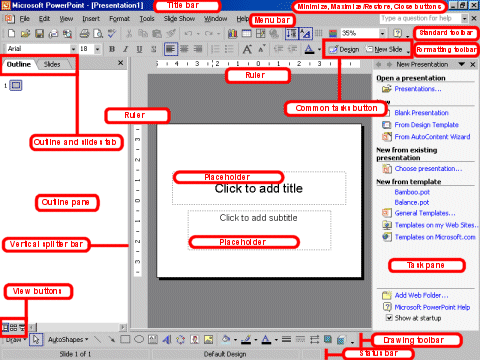
I took the day off from posting yesterday to attend the NINES web conference on leadership. It was amazing - I'll post more about it in the future.
Back to the tutorial - we've covered starting with the text and searching for images. Now how do you get those images into the presentation?
First we need to talk philosophy for a bit. Not the "cave" meaning of life kind of philosophy, but a philosophy of visuals in preaching. I learned from many people that the visual channel of communication can support the auditory channel, and this happens best when they are communicating the same message by different means.
What I mean by all that is: don't use bullet points! Don't. Just don't. Bullet points seem so easy. Well, guess what, if it seems too good to be true, it probably is.
The real power in visual communication is when the images on the screen can convey information and emotions that your words cannot. The visuals need to reinforce, amplify, and support your words, not replace them.
In general, I try to have few, if any, words in my PowerPoints.
When thinking about putting your image in the presentation, think about white-space. Designers talk about negative space all the time. It is just some empty space that allows the eye to rest when looking at the picture. It emphasizes what is on the screen and clarifies the message.
Garr Reynolds is a master of this, learn more here. Check out some examples bellow:

Here are my guidelines for when I'm creating a presentation:
1. I try to only have 1 slide per move in my sermon (and usually a 3 to 5 move sermon).
2. I try to find an image that evokes thoughts and connect ideas for people. If I can't, then I will have a blank screen instead.
3. I try to use the fewest number of words possible to convey the maximum impact.
What works for you?
Wednesday, September 09, 2009
The NINES
At the NINES leadership conference today. Nine minute videos from church leaders around the country on leadership topics.
Tuesday, September 08, 2009
PowerPoint Sermon Tutorial Part #2

Step 2 in the process of crafting a sermon with PowerPoint: search
I search for dozens more images than I use, and I download 2 or 3 times the number of images that actually go into a presentation. The more images you can look at, the better your final presentation will be.
If I don't have a specific image in mind I will start with Google to see what keywords bring up. This will usually get me into a ballpark for ideas and I can start refining from there. For example - on Sunday I preached about the armor of God. I started searching for 'armor' and 'ancient roman armor' to get some ideas. I ended up finding pictures of costumes and medieval armor and video game screenshots. Not exactly what I was looking for.
Tip: keep trying different searches to narrow down your results - move from more general to more specific.
As my searching progressed, though I found some images of roman formations that sparked an 'aha' moment. The roman testudo formation allows the soldiers to stand in the face of any assault - that is the perfect example of Paul telling the Ephesisans to "stand firm" in the armor of God.
Note: Be sure to check the license of the images you get from a Google search. Not all of them are legal to use, so be careful and ethical.
I usually create a folder with the same name as my sermon, so I can find images later. Then I save the images that might work into that folder on my computer. That allows me to try several potentials to get the right fit. Also it allows me to do all of my searching at one time and then to do all of my design later. It just works better for me to divide up those tasks rather than jumping back and forth between searching and designing.
Note: check the links on the right for several good image websites.
Once you have a good idea of what you're looking for, it can be a good idea to move away from Google to something with a bit higher quality. Google yields a lot of results, but most of them are small images - anything below about 500x500 pixels will look terrible when projected. Go to a stock photo website to get higher quality photos.
Tip: you can refine your Google search to only return large photos to get images that will be better in a presentation.
I have had a lot of luck with StockXchange for hosting high quality, free stock photos (they do have some that cost money, so pay attention when you're clicking). There are also some good Flickr groups. And I'm always open to new sites, so drop me a comment if you have something that works well for you.
How Christians Fight
Here is my sermon and presentation from Sunday.
How Christians Fight
View more presentations from James Wood.
Monday, September 07, 2009
PowerPoint Sermon Tutorial Part #1

This week I'm going to focus on writing a tutorial on how to craft a sermon using PowerPoint. I would love to hear some feedback on what you want and need here. I will continue to flesh out this work as I learn more about the art of visual preaching.
Step #1 - Start with the Text.
I can't emphasize enough that good preaching must be biblical preaching and that biblical preaching must start with the text of Scripture. Visuals will come later, you must start with the text.
If you start with an image or a movie clip, there is a real danger that you will be tempted to massage the text to get it to fit your illustration. May that never be! Start with the text and let the text lead to your visualization.
For me, I like to start every day with a reading and study of the text for that week. As I go through the week, the text is on my mind. Then my conversations and thoughts are filtered through the text. I try to start conversations about aspects of the text. Facebook is great for this - I pose questions that I think relate to the text and my friends tear them apart. I've gotten some great illustrations this way that I never would have considered on my own.
I've also thrown away some illustrations through this process. One time I thought that the movie "King Ralph" would be a great illustration. But when I talked about it, no one remembered it. That would stink in a sermon. I was able to bail on that illustration and do something different.
Starting with the text and engaging in conversations with people about the text will lead to illustrations that are grounded in the word and connect with people.
How do you begin your sermon prep?
Friday, September 04, 2009
Movie Quote Friday
 What is it about movie quotes that can really get a group of people going? There are some movies that are just quotable and inspire people to continue quoting them long after the movie fades from the box office and video store.
Something has transformed these movies from cinema to culture. I'm going to argue that we need to be able to have these conversations. We need to know and have seen movies that connect with our culture. I think it is good to use a movie clip from time to time if it really highlights a point well.
Ok - start throwing out some movie quote - I'll get you started:
"He said 'to blaithe' which we all know means 'to bluff'."
"My lips hurt real bad!"
"There is no spoon."
"That's no moon . . ."
Now you go!
Thursday, September 03, 2009
Toward a Theology of PowerPoint #5
Sometimes visualization is the best way to communicate a concept. Below I take John 1:14 and explain it on a napkin. Visuals don't always have to be snappy and cool to be effective. If you can communicate something on the back of a napkin in a few minutes, then you are a powerful communicator.
How would you use this in PowerPoint?


How would you use this in PowerPoint?


Wednesday, September 02, 2009
The Good Enough Revolution

Wired has a great article about how technology is shifting from high-end to "good enough". They cite thing like Skype, Hulu, and the MP3 as driving down quality and price while they drive up adoption by the masses.
As more and more industries move their business online, they too will find success in Good Enough tools that focus on maximizing accessibility. It's a reflection of our new value system. We've changed. To benefit from the MP3 effect, companies will have to change as well.The article is pretty long, but it does offer a lot of insight into the way that technology is actually being adopted by most people. There is a balance between how much people are willing to pay and what level of technology they will adopt.
Thinking in terms of visuals in church - it can be hard to convince people to spend top dollar for a great computer and projector when they want Good Enough. It can be hard to convince people that it's worth the time to learn how to do a great presentation when a little bit of time will result in Good Enough.
So, how can we build value in a Good Enough world?
Tuesday, September 01, 2009
PowerPoint tips and tricks #4 (Keynote Edition)
 I have focused my tips, thus far, on the Microsoft program: PowerPoint because I am most familiar with it. In the interest of fairness I want to look a Keynote - the presentation software for the Mac platform.
 This article at Macworld compares the two in a very fair way (I believe). The conclusion:
PowerPoint has caught up to Keynote in many areas and surpassed it in some. But Keynote’s workflow and overall feature set remain superior. Practically speaking, your choice of software probably depends more on the hardware you’ll be using to deliver your presentation (and the software installed on it) than on the features of your authoring program. For that reason, unless Apple releases a Keynote player application for Windows, which isn’t likely, PowerPoint may be a more sensible choice for many speakers.
Forbes points out that Keynote follows the Mac creedo by being easy to use and good looking. Saying that: "The novice presenter will easily produce the more stunning-looking slideshow using Keynote." However, if you are going to have to run your presentation on a Windows machine you will run into problems. "Keynote's big drawbacks are huge in a business market dominated by PowerPoint running on Wintel machines."
For our audience I will make this recommendation: if you are running entirely on Macs then use Keynote and/or ProPresenter - it will be easier and look better. If you are already set up with Windows machines and especially if the computer that will be projecting the presentation is a Windows machine, you will save yourself a lot of time and effort by just learning PowerPoint.
What do you use?
Subscribe to:
Posts (Atom)