Find us on Google+

Wednesday, March 07, 2012

Standing Desk - Month 1

I've been running an experiment with a standing desk for one month now. You can read about my experience (here, here, here and here). One month out, it's become clear that I can't stand all the live-long-day. At least not yet.

I kept hitting this point where my brain would shut down. I would be trying to write article or a blog post and instead of being productive and creative, I would get progressively more distracted. I realized that it was physical tiredness that was keeping me from being able to think. I know that standing shouldn't be that exhausting for me, and physically it wasn't, but mentally I kept hitting a wall.

But the same thing happened if I sat too long before starting the standing desk experiment. So, my solution over the last couple weeks has been to alternate. When I'm tired of standing, I sit and when I'm tired of sitting, I stand. This has been helpful for me during times when I'm more physically tired and I can't stand as long without experiencing mental fatigue. It gives me the flexibility to choose what's best for me from hour to hour and day to day. Whereas having an all-standing or all-sitting desk would lock me in to one situation, and my mental productivity would suffer at times.

What tools do you use to maintain mental productivity? How do you find your mind and your body are tied together?

Monday, March 05, 2012

It's not PowerPoint's Fault!

Over at SlideShare they posted this fantastic presentation on the difference between the tools and the tool-wielder. The premise is that blaming PowerPoint for poor presentations is like blaming a car for an accident. Without the driver, the car wouldn't move an inch. Without a presenter, PowerPoint won't do anything. It's up to the presenter to do their job well, not PowerPoint. And it's the fault of the presenter if the presentation is terrible, not PowerPoint.

I agree completely, it's not right to eschew PowerPoint just because people have made some terrible PowerPoint presentations. For a long time I wouldn't eat ribs because all I'd ever eaten was Tony Roma's sauce-soaked strips of rubber. But then I moved to Memphis and had real barbecue. Juicy, tender meat that falls off the bone and is so flavorful that it doesn't need a sauce at all. If I would have continued in my assumption that I didn't like ribs, then I would have missed out on one of the best things in life.

Memphis style ribs I made.
 I never would have learned how to make my own ribs (and other slow-smoked barbecue), if I would have persisted in the assumption that the problem was with ribs or barbecue. Don't make the same mistake with PowerPoint. It's a tool that can be used to do amazing things, or it can be completely ruined. Don't blame the tool, though. Learn to use it well and you'll be amazed by the results.

Friday, March 02, 2012

Windows 8 Consumer Preview (First Impressions)

Windows 8's new Metro UI
I downloaded and installed the Windows 8 Consumer Preview the day it came out (Wednesday) and I've been running it since then on a secondary computer. I wanted to share some of my impressions about the new OS that Microsoft has launched.

Metro UI: This is probably the biggest change, and the most visible. The Start button is gone (all the way gone, unlike in the Developer Preview where you could revert back with some registry edits). All your programs live in the Metro UI interface (well sort of). When you first start up you see this arrangement of multi-colored tiles (pictured) that give you all the options on your computer. Right up front is the Internet Explorer tile, a Store tile, a Mail tile and a Messaging tile. All of which link to the Microsoft apps for those utilities. The apps that launch when you click are also in the Metro UI scheme, so you get a very touch friendly version of IE or the mail app. The problem is, touch friendly translates into mouse & keyboard un-friendly. It's a frustrating experience to figure out navigating through things (here's a hint, right-click is essential to see everything you need to get around). But what's even more annoying is that you're only a click or two away from a Windows 7-like desktop. If you try to use any plugin (any plugin at all) in the Metro IE, you'll be redirected to the desktop version of the app. Once you get out of the Metro interface it's jarring to have to suddenly shift your working to "typical" Windows actions after you've been shifting your thinking to the Metro style.

Desktop: When running Windows 8 in the desktop mode, it's fast, responsive and feels good. It's like a polished version of Windows 7. All your favorites are there, the jump lists, program pinning, aero snap and all those goodies. They've also made some improvements to the task manager and windows explorer that are quite nice. But, when you go to launch a new program you're faced with a gaping hole (in your heart?) on the task bar - there's no more Start button. If you point to the lower left corner of the screen you see a pop-up of the Metro UI screen or if you press the Windows key, you get the Metro screen. That is your new Start button (and you'd better like it). If you start typing the great Windows search will automatically start looking for the file or program you want (just like in Windows 7). If you right-click you can select "All Apps" to see a more Start-Menu-ey list of programs on your computer. But that's the best you're going to get.

Impressions: Windows 8 wants to bridge the gap between tablets, phones and computers, but it ends up leaving computers in the back corner weeping softly. In order to make it easier for touch-based devices to get around, Microsoft has put barriers in the way for non-touch devices. I'm running into the Metro UI far too often and it doesn't offer me anything good or helpful. I don't want to use Bing for search or IE for browsing (the apps look good, but the functionality is the same or less than other programs). And I don't want to be locked into a full-screen app view when I'm working on a computer. That might work for tablets, but I'm switching between programs too much to do the same on a desktop or laptop.

You can download Windows 8 here if you want to give it a try.

What do you think? What do you want to know about?

Wednesday, February 29, 2012

What NOT to Do when You Present

I went to a training recently (it's going to remain nameless to protect the offenders) and three out of the four presenters committed every PowerPoint sin imaginable. Sometimes I wonder if I need to keep shouting out the message about presenting and then I see that so many people clearly don't get it.

To start with, they printed out their PowerPoint slides and gave them to everyone before the presentation started. So we all had, in hand, everything that they were going to say in the coming hour.

Then they created presentations that were entirely comprised of bullet points. Each slide had a title and at least four bullet points.

Then they read the bullet points from the screen to the audience (remember we already have the slides as a handout). So we're seeing a projection of the words we have in our hands that are also being read. This is a recipe for the lowest retention possible. Studies show that when text is projected and spoken, retention drops (by 15%) and the retention wasn't that high to begin with, since only about 10% of a lecture is typically retained.

However, the last presenter did everything differently. It helps that she's a professional speaker, but that's no excuse for the other people. She showed a series of images with one or two word captions. She didn't give us handouts of her slides (ever) and she engaged us in activities that were complimentary to her topic. I've retained nearly all of that final presentation, but the first three yielded one or two facts that have stayed with me.

Please, don't use bullet points.

Wait, let me say this in a more understandable way:

  • Bullet points:
    • Bad
    • Stop
    • Don't
    • Quit it

Sunday, February 26, 2012

Alternatives to PowerPoint

Today Lifehacker is showing off alternatives to PowerPoint, they asked their readers for the best non-PowerPoint presentation tools and the top five are:

Keynote - you need a Mac to use it. Apple won't even consider releasing this for Windows, which is a pity, because it could be a serious contender with PowerPoint for market share if it could run on 90% of the computers in the world.

Google Docs - I've looked at it before and I looked at it again when they updated things. It still feels like PowerPoint 2003 (or earlier) in terms of the capabilities and layout. The one advantage is the tightly integrated collaboration that is in all of Google Docs. You'll need to do all of your photo editing outside of the program and but you can create adequate presentations in the cloud.

Beamer (LaTeX) - I tried to do anything with this, but it is beyond my skills. Basically you code your presentation from scratch. It gives you a lot of flexibility, but the learning curve is immense. If you already know LaTeX, then this is for you, if not, steer clear.

Prezi - This is the one, truly different choice that made the list. It doesn't function in a linear, slide-based setting like PowerPoint (or the other programs) rather you have a large canvas on which you can place all of your images and text. Then you navigate around through the presentation by zooming, rotating and swooping around the canvas on a pre-defined course. When viewed it looks organic and natural, but the actual presentation design needs to be, if anything, more linear and pre-planned than the slide-deck variety.

OpenOffice.org (or LibreOffice) - Pretty much just the free, open-source version of PowerPoint. You can open and edit PowerPoint files and do most of what you can do in the Microsoft software. Like Google Docs, it's behind the times as far as cutting-edge features, but it's a good (and cheap) alternative if you need something for your next presentation.

What PowerPoint alternative do you use (and why)?

My vote was, and still is, for the good, old whiteboard.

Friday, February 24, 2012

PowerPoint Screenshots and Screenclips


The original image.
If you've ever found yourself in dire need of an image, either from a website or to show something on your computer, the PowerPoint screen shot and screen clip tool is what you've been waiting for. It used to be that you would have to press the Print Screen button on your keyboard to get a snapshot of everything on your computer's monitor, then you could paste that image into a program (like PowerPoint) and crop out all the bits you don't want to show. But now with Screen Clipping, you can simplify all that into one step, and I love it.

You can find the Screen Clipping option on the Insert tab of PowerPoint 2010. Click "Screenshot" and then at the bottom of the window that pops up, click, "Screen Clipping." Your screen will get all washed out and PowerPoint will minimize. When you see a black cross, you can click and drag on your screen to define the area you want inserted into your PowerPoint presentation. It's that simple.

My screen clipping
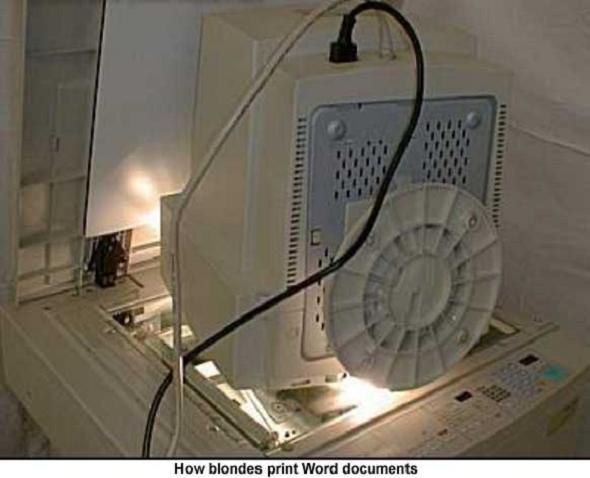
I was able to crop the top photo into the bottom photo in a few seconds (I removed the blonde joke).

You're not just limited to using the images in PowerPoint, either. You can quickly grab screen clips and then save them on your computer to use elsewhere (like a blog, for example). Once you're done clipping, just right-click the image in PowerPoint and choose "Save as Picture." Choose a location and enter a name to save the clip. This is a quick way to generate a lot of clips with very little effort. Even if you're not creating a PowerPoint slideshow, it's still one of the fastest tools out there for getting the clips and saving them as images.

If you want to take a screenshot of a whole window, just click on the "Screenshot button and then click on the thumbnail for the window you want to grab. PowerPoint will insert an image of that entire window on the active slide.

What screen clipping and screen shot tips do you have?

Wednesday, February 22, 2012

How to Turn a PowerPoint Presentation into a Video

Recently I've put a few of my PowerPoint presentations online. It used to be that the best way to do this was though sites like SlideShare or other similar sites. But with the new 2010 version of PowerPoint you can save your slideshow as a video that can then be uploaded to YouTube (or any other video sharing site).

The basic process is simple. You click on the "File" tab in PowerPoint 2010 and then click "Save and Send" from the list of option. Click "Create Video" under File Types and then click the "Create Video" button on the right.

However that assign a standard amount of time to every slide in your presentation. If you have animations and video in your slideshow, you'll want to use custom timings for your slides. The way to get those is to rehearse.

Click on the "Slide Show" tab and then click "Rehearse Timings." When you do, you'll see your presentation on the screen. Press the Right Arrow when you want to advance the slide. When you're done, accept the dialog indicating that you'll use these timings and save them with the presentation. Click the "Save" button in the upper left and then you can go back to creating the video knowing that your slides will have the right timing.

If you want to record narration with the slides, you can use the "Record Slide Show" button on the Slide Show tab. This allows you to speak your piece while you click through the slides. Both the audio and the timing will be saved with the slideshow and then you can include them with the video you create.

Even though it's really cool that you can turn your PowerPoint into a video, Microsoft will only create videos in the Windows Media Video (WMV) format. If you want something a bit more friendly to other platforms, you can use a video conversion tool (like this one, or this one) to change things into a format other than WMV.

Below I've included the YouTube videos of some of my presentations. What do you think?

Monday, February 20, 2012

Standing Desk - Week 2

I know you all are waiting with bated breath to find out how my standing desk experiment is going. If you need to catch up on the drama of things you can read all about it here, here and here.

Over the second week of doing a standing desk, I started to feel more fatigue and I found that it affected my ability to work well. When I'm doing non-intensive tasks that don't take a lot of creative mental energy, I can push through the physical weariness and keep working. The more mentally demanding jobs, however, were much more difficult to do. Toward the end of last week I found myself taking more breaks to sit and, on Friday, ending out my day on the couch. I just didn't have the physical energy to keep going to write more in-depth work.

Today I'm standing again and I plan to continue standing most of the time. But I do appreciate what I learned from last week. I am a whole person and my physical state has a large effect on my mental capabilities. When I'm tired physically I don't perform as well mentally. It will take some time for me to have the physical/mental endurance to work standing all the time.

I'm also going to experiment with not doing any recreational computing from the standing position. So when I take breaks to check Facebook or play video games, I'll do it sitting. That will serve as a good mnemonic device to signal my body and mind to get into work mode when standing or relaxation mode when sitting. I find that I can relax more when I have a clear difference between the posture of relaxation and the posture of work.

What thoughts do you have? Have you taken the plunge and started standing?

Wednesday, February 15, 2012

What to Do When Words Don't Work

Recently Nancy Duarte featured Dan Roam on her blog and had him speak about his new book Blah Blah Blah: What To Do When Words Don't Work. In it, he discusses the two different minds that we have - the verbal mind and the visual mind. The verbal mind is all about words and grammar and it does really well in school. Schools are built for the verbal mind to excel, but they are difficult for the visual mind to navigate. What Dan does is to build a bridge between the two minds.

The problem has been that the Verbals have been in charge, only allowing the Visuals to work in a small sector. Verbals are CEOs and they allow Visuals to be in marketing or advertising, but it's always on the Verbal's terms. Visuals are expected to either get in line or get out of the way.

Dan shows, in the video below, how grammar is both a visual and a verbal construct. It's not just about one or the other, but ways in which both types of people can communicate together to make something more meaningful.

Are you a Verbal or a Visual?


Dan Roam - Vivid Grammar from Duarte Design on Vimeo.

Note: the book link earns me a small commission on any purchases made. I haven't read the book yet, so I make no endorsement.

Monday, February 13, 2012

Standing Desk - Week 1

This is my (messy) standing desk.
I spent one week (four day actually) getting accustomed to the standing desk setup. You can see my configuration pictured on the right. The TV/second monitor swivels depending on the time of day. During work hours it extends my screen space, but in the evening, it's our primary source of entertainment.

I found the lap-desk at Goodwill and it puts my computer at the right height so that my elbows are at 90 degrees when I'm typing. That meant, though, that I needed to adjust my typing habits. I've grown accustomed to resting my wrists the laptop below the keyboard, but when my arms are at the right position, that hurts my wrists. So there's another habit I'm changing.

The size of the TV isn't too bad since it sits at the back of the desk and I have the laptop at the front of the desk, the tops of the screens are about the same height from my perspective. It's a little too low, but because it's a dual use item that's going to have to remain the case for now.

My biggest adjustment has been standing. I opted to stay with slippers, working on the theory that my feet are the best design for supporting my body and the slippers don't interfere with the way my feet work. Shoes force feet to conform to a certain orientation. I gradually ramped up the standing from one hour on and one hour off, to 1:15 on 0:45 off, 1:30 on 0:30 off and on Friday 1:45 on and just 0:15 off. That makes today (Monday) the first day of all day standing. I'll sit for lunch and other breaks, but my work will be only standing.

I already mentioned that one benefit I'm feeling is being physically tired at the end of the day, which has helped with my insomnia. I also feel like I'm taking a break when I'm done with work, which is a good thing too. Overall, I'm loving the standing desk, but I'll keep experimenting to see what's working and what isn't.

Do you have any thoughts or questions?

Thursday, February 09, 2012

Standing Desk - Day 3

I've been through the first two days of the standing desk experiment and am writing at the cusp of the third. Based on some good advice from several people on Facebook and from the article on Lifehacker, I've been gradually phasing into the standing desk mode.

On the first day I stood for an hour and then sat for an hour. At the end of the day I was definitely tired of standing. It didn't help that we went to rehearse with our community choir that night so there was more standing in store for me. So when day two rolled around, I was a bit on the tired side, but I still upped the standing from one hour to an hour and fifteen minutes. I also dropped the sitting time to just forty-five minutes. Again, at the end of the day I was tired of standing and ready to sit, but it wasn't unbearable.

My tiredness is mostly in my feet and back. But it's not too different from when I've worked standing jobs in the past. It's nice that I get to transition into things though. One of the issues that I had to address is the height of my second monitor. My main computer is a laptop, so I placed that on a portable lapdesk with legs that increases the height perfectly for me. But the monitor was still at desk level, which was too low and placed my neck in an awkward position. I found a five inch riser for the monitor which brings it up enough so that the top is at the same height as my laptop screen from my perspective.

Another issue that I'm dealing with today is that I have grown accustomed to resting my arms on something. When sitting, I'll rest my arms on the desk, but that doesn't exist in the standing position so I have been resting my arms on my wrists on the keyboard of my laptop. At the end of the day yesterday it was to the point of begin painful. So, this morning I'm having the force myself to keep my wrists in the correct neutral position. Even as I'm typing this I can feel the muscles getting tired from the unaccustomed work, but it will be better in the end if I don't develop a repetitive stress injury, so I'll tough it out.

What else do I have to discover? Today I ramp up the standing to 1:30 and sitting to 0:30 and by Friday I'll only be taking 15 minute sitting breaks. The plan is to start on Monday standing all day.

What thoughts do you have? What questions do you have?

Tuesday, February 07, 2012

Standing Desk - Day 1

After a conversation with my friend, Jason over the weekend I decided to try out a standing desk. I've been freelance writing for 19 months now and doing it full-time for the last 15 or so. It's awesome to be able to work from home and have a flexible schedule, but that means that I'm sitting down most of my day.

According to several studies, sitting for long amounts of time is detrimental to your health. It slows the metabolism, decreases circulation, harms posture and is linked to the onset of diseases like diabetes and cancer, even in people who regularly exercise when they aren't at work.

So I'm about one hour into the first day of standing at my desk. Yesterday we found a perfect folding desk at Goodwill that sits on my regular desk and puts my laptop at the right height for typing, plus it has enough space for my mouse and a cup of coffee.

Today I'm going to stand for an hour at a time. One hour on and one hour off. It takes time to build up the endurance to stand all day after sitting so long, so I'm not going to over do it.

My big issue right now is my external monitor (which is also our 32" TV). It sits too low when I'm standing, but I don't have a good way to raise it up right now. Currently I'm using a book under the stand to tilt it so that it's angled a bit. We'll see how that works out.

Have you tried a standing desk? How did it work for you? Do you have any advice for me?

Monday, February 06, 2012

How to Run a Not-Boring Meeting

The word "meeting" can, unfortunately, carry similar connotation to the words "punishment," "prison," "torture" and "boredom." The problem is that too many meetings conform to the negative stereotype, so when it comes time for you to host a meeting, people will automatically think of it in terms of their negative past experiences. We aren't so different from Pavlov's dogs in this respect.

However, you can use a few bits of neuroscience to transform your meetings from torturous into productive and even fun.

John Medina, Doctor, professor, author (of Brain Rules: 12 Principles for Surviving and Thriving at Work, Home, and School ) and brain scientist, suggests using three truths about the human brain to make your meetings better. I've covered Brain Rules on this blog several times before, so you might be familiar with some of this material.

Start with vision. Too often meetings start with a look at the minute details of a situation, but that's not how the brain works. We need a vision of the overall importance of something so that we can fit the details into that framework. Always start your meetings with a vision for what might happen in the future. If you start with the details, they will be lost as people try to figure out what you're point is. If they don't have exactly the same vision as you or if they can't fit the details into a vision, you'll lose them.

Use 10 minute segments. Our brains can hold on to an idea for about 10 minutes. After that we need another hook to re-connect with what's going on. The hook can be a joke, a story, a video clip or anything else that connects with your topic in an emotional manner. You'll notice that great speakers pepper their presentations with hooks that keep people engaged for long periods of time. If you go past the 10 minute window, people will start mentally dropping out until you give them another hook to latch on to.

Show them something old and something new. Our brains match patterns very well. It's how we recognize faces, voices and just about everything. We quickly decide if something is a part of a schema that we've seen before and then we classify it according to that category. So, you should ideally show people how your topic fits into an existing pattern and then show them how it differentiates from the existing pattern.

The basic meeting outline would be: Cast a vision for what you want to accomplish, give an emotionally charged example of the vision and then for no more than 10 minutes look at the details of how your topic fits into an existing pattern. Then have another emotional break and spend 10 minutes examining the deficiencies of the existing pattern. Finally, one more hook and then 10 minutes of how your topic is a new and different pattern from what people have experienced before.

What have you done to run great meetings?

What's the most boring meeting you've attended and why?

Friday, February 03, 2012

Free eBook, The Marriage Challenge

My eBook on marriage is free today through February 6th. Yesterday, the first day of the promotion, it was downloaded 661 times and jumped up to #435 on the Amazon Best Seller list. It's also at #2 on the Marriage Best Seller list.

I'd love it if you would download the book and share it with your friends and family. You can get it here (and it's free!).

Wednesday, February 01, 2012

Draw to Search for Images

My rendition of the Earth from space.
What Google thinks my rendition looks like.
 If you're looking for that perfect image, sometimes you can imagine it, but you can't find it online. Along comes the "Unofficial Google Image Search by Drawing" site. It presents you with a palette and colors and you can draw what you want to find. It's a wonderful idea, in theory. When I tested it out, however, it didn't work so well. You can see my drawing of the planet on which we resided. Not bad for using a mouse and doing it in just a few minutes (I think). But Google thinks it looks like a pie chart or the Soviet sickle and hammer. Not very helpful.

However, you can also click the "Webcam" link on the page and snap a shot from your computer's camera. I did that of a picture of the planet and Google was able to interpret things much better. But that begs the question: if I can take a picture of it, why do I need to search for a picture of it?

Webcam picture of the Earth from space
(note, it's of another picture, my computer wasn't in space).
Since this is a proof-of-concept, I think it's OK to cut them some slack. It's a cool idea and as it gets better this could offer great ways to search for images.

How would you like to search Google?

What makes it easier for you to find just the right picture?

How Google interprets the webcam picture (much better). 

Friday, January 27, 2012

How to Make Charts and Graphs Exciting

Most charts and graphs are boring. Maybe not to you, since you made it and you're excited about the numbers, but everyone else sees it through a fog. They see the jumble of information and struggle to comprehend the point of all the data. In the end, it would be better to not show them a chart at all, rather than show something as incomprehensible and boring as the picture to the right.

What's wrong with it? First, there's too much information to digest in too little time. Your brain takes about 3 seconds to gather in the data and if it's not apparent in that time, you will shut down. Sure, the chart is clearly labeled and each line has its own color, but the three second test shows that it's a jumble. It takes a long time to get oriented to what's happening.

Second, the point of the chart isn't clear. You shouldn't show a chart in a presentation unless you're using it to make a point and you can't make a point if it's not clear. Using the same 3 second rule, how would you determine the meaning of a the chart above? In that short a time, all I can see is that things changed over time. But, looking at the chart to the left, in 3 seconds I can tell that there's been a dramatic drop in foreign investment by the United States. The point of the chart is clear and stunning, in just a short amount of time.

Finally, there's no emotion. Communication is, partly, about sharing data, but that data is carried in emotional word and images. What emotion do you want your chart to evoke? If it's boredom, go with the first chart. But if you want to inspire, frighten, encourage or reprimand people with your data, there needs to be a clear, emotional punch to your data. The second chart has a clear statement of what the data shows and then it has a quote explaining what's happening.

Tips:

  • Remove clutter, a cleaner chart is easier to digest quickly.
  • Highlight your point visually, if other data should be ignored, remove it or fade it into the background.
  • Use different methods for visualizing data, steer clear of the line, bar and pie charts when possible. 
Check out a masterful presentation of data by Hans Rosling on CNN. 

*Note, that the data needs to be analyzed in detail, but that should happen before you give the presentation, then if someone wants to see all of the data that went into your charts, you can have it available and let them know why you drew the conclusions you did.

Wednesday, January 25, 2012

Can Congress Learn from SOPA/PIPA?

Senator Ron Wyden from Oregon shared an article through Wired.com yesterday. In it he says:
Some businesses lament this fact when bad reviews start costing them business. But smart businesses recognize that even the bad reviews are an opportunity to understand their audience and improve their products and those that have gone the extra mile to understand the internet have, in many cases, found success.
But up until last week, Washington hadn’t learned these lessons.
This is a valuable point. Negative feedback online isn't necessarily a negative thing. It shows what is getting people's attention and gives you an opportunity to grow and change. He concludes with:
If members of Congress better understood the central role that the Internet plays in their constituents’ lives – the hub through which Americans work, communicate, share, learn, create and enjoy entertainment – they would understand why their constituents fought so hard to protect it.
If members of Congress better understood the digital world, they would know that downloading a digital good from a foreign site is no different than importing goods from a foreign country and if we accept that principle, we can do more than combat online infringement, we can work to promote our digital industries and tear down barriers to digital trade just as we do for any other American-made product.
When members of Congress better understand the Internet  they will see it as a world of opportunity to create jobs and foster innovation, to improve education and economic mobility, and most importantly to cultivate the sort of government our founders intended in which we hear and learn from our constituents. Congress ignores this opportunity at their peril.
He gets it. He understands what's happening and why this is such a big deal for millions of people. Because of that, he proposed a new bill before Congress known as the Online Protection and ENforcement of Digital Trade Act (OPEN) which amends existing laws about copyright and trade to include the Internet. You can see a comparison between OPEN, PIPA and SOPA below.

Monday, January 23, 2012

Picnik is Shutting Down

The online photo editing tool, Picnik, is closing down as of April 19, 2012. Google advises that you "take heed" and find another online or desktop based tool to do your editing. I put together a list of some great alternatives here.

Have you been using Picnik? Are you sad that's it's closing?

Friday, January 20, 2012

Victory! Now What? Next steps for SOPA and PIPA

Due, in large part, to the wide-spread protests and blackouts that happened on Wednesday, the Senate has delayed a vote on the Protect Intellectual Property Act so that the bill can be fixed. The delay is a good thing, it's a sign that the thousands of websites and millions of signatures on the petition (4.5 million at last count), have had an effect on Congress. Great job, the Internet! Way to take a stand for your rights.

Now what?

Piracy is still a concern for Congress, especially due to the pressures of the music and movie lobbyists. Both bills still exist, they've just had the votes delayed. Without a viable alternative that meaningfully addresses the issues of foreign piracy of US intellectual property, something like SOPA and PIPA will rise again (or the very same bills with altered content).

The key concerns are that offshore companies can pirate US property with impunity since our copyright laws don't apply and our law enforcement has no jurisdiction. The proposed solution of SOPA and PIPA was to remove the sites from search engines and lists of websites (called Domain Name Servers, or DNS) in the US. But the real kicker is that there was no due process, no threshold and no mercy. Any site that infringed in any way that a company could complain about could be de-listed.

I would like to see added to PIPA and SOPA the qualification that the site in question must exist for the sole, or primary purpose of violating copyright law and/or be primarily used for that purpose. The recent shutdown of the US-based Megaupload speaks to the proper way to identify a site that is primarily used for piracy. Sure they are a file sharing site (not illegal), but their business practices involved encouraging pirates with bribes and driving traffic to downloads with pirated content for the purpose of generating more ad revenue. There is a clear case of a site being used, primarily, for piracy of copyrighted material. The case was established by the Department of Justice and all of the paperwork has been filed (all 72 pages of it).

But how does this address foreign sites? Well the US is a member of an international treaty called the Berne Convention (and the World Intellectual Property Organization Copyright Treaty which caused us to create the Digital Millennium Copyright Act) which is designed to protect copyrighted works, as of 2008 there were 164 member countries. So, we have the channels in place to identify sites that are primarily for the use of pirating material and to gain the aid of other countries in shutting down sites that are violating copyright law.

I'm not directly opposed to the means by which SOPA and PIPA propose to block pirate sites, my main opposition is to the lack of due process and participation in the international community that already exists to address these issues. Within the DMCA, is a "Safe Harbor" clause which allows for websites and ISPs to take down infringing content and avoid liability. Don't punish the sites, punish the infringers.

Wednesday, January 18, 2012

What do SOPA and PIPA accomplish?

I remember a while back when we subscribed to both cable Internet service and television. The budget got a little tight, so we decided to drop the TV. Through the course of the conversation with the person at the cable company, they informed me that I would have to pay a $20 disconnection fee. I asked why, since I wasn't disconnecting my service, just stopping the TV side of things. They said that without a blocker installed, I could, potentially, get free cable TV. So, they wanted to charge me $20 for the privilege of not getting free cable.

Wait, what? No.

I said, "It's not my job or financial responsibility to ensure that you don't give away your product for free. If you don't want me to have free cable, that's your problem, not mine."

The charge was removed.

I bring up this story because it makes me think of the issues underlying SOPA and PIPA, which are laws before the House and Senate respectively. They both provide the ability for the US to block websites that host pirated content. That seems pretty innocuous at first, but you must keep in mind that the entire site would be blocked for the posting of one piece of copyrighted content - by anyone, not just the owner of the site, but any user-generated content. Think of YouTube, Wikipedia and blogs where content is created by everyone. If anyone messes up, the whole site would be gone.

Now, whose responsibility is it to protect this content? To me, this seems similar to the cable company wanting me to pay for their inability to restrict my TV access. The MPAA and RIAA are two of the main sponsors for SOPA and PIPA, they are also the organizations who have sued individuals for hundreds of thousands of dollars for piracy. It's primarily their concern, so the primary burden should be on them. They don't want to cut into their profits, so they push ISPs and the government to do their job for them.

We already have anti-piracy laws on the books. The MPAA and RIAA are already successfully  prosecuting pirates for huge sums of money. They can already take down US sites that are found to be pirating content. What more do they want? They want the ability to restrict the access of all Americans to any website that they deem to be pirating content. Also known as censorship.

Whose job is it, anyway?

Tuesday, January 17, 2012

How to Get Your Ideas to Stick

Ideas fall like snowflakes on a ground that must be ready for them to stick.

I sit watching the snow fall out my window and I'm frustrated. It's been snowing, off and on, for the last two days, but the grass is showing green and the streets are clear. We are at that magical temperature where the snow falls and melts on contact, and we've been at that temperature for days. Just to the north there are people getting inches and inches of the stuff. To the east friends are posting pictures of snowmen. But here I sit with nothing.

Sure, I'm a kid at heart. I want a snow day. I want to play in the snow. I'm from the wet, temperate Pacific Northwest where snow is a rarity. It dominates the news coverage and thrills the school children (and me). So it's much more frustrating when the snow is falling, but not sticking. Big, fat flakes melting away into nothing.

Sometimes I feel like my ideas do the same thing. I fling them out with abandon. I create and share, but then nothing sticks. I've worked hard to produce the exact conditions necessary to make something new, new words, new images, new ideas. And the ground isn't ready. The ideas don't stick.

If snow could have feelings, it would be tempted to give up. To move on to places that are more ready to receive it. The mountains love the snow, but, if the snow works extra hard the aggregate affect of millions of ice crystals can change the temperature of the ground. One flake melts, but the temperature drops a fraction of a degree. A thousand flakes later, the ground is cooler, maybe even cold enough.

Your ideas may appear to melt on contact. You might feel like the ground isn't ready, like you should just go somewhere else to share. But what if you stay? What if you keep sharing? What if, like snowflakes, your ideas actual help to get the ground ready to receive more ideas?

Friday, January 13, 2012

Beg the Question

Look for the question that lies behind overt statements. Especially right now as election season is gearing up toward its most rancorous, there are a lot of bold statements being bandied about.

Health care.

Bank bailouts.

Iran.

Jobs.

Debt.

All of those topics have myriad points of view from which they can be approached. Politicians will make strong assertions about them one way or another. But under those assertions lies a question that is driving the discussion. If there wasn't a question, then it wouldn't be an issue that people are talking about.

Religion.

Faith.

Women.

Homosexuality.

Money.

So many issues are really questions, at heart. As you sit in church or school or at work and you hear bold claims. Ask yourself, what's the underlying question that makes this issue something to be discussed. When you start dealing with the questions, instead of the supposed answers, then it's possible to find some common ground and, perhaps, move toward some real answers.

As long as we remain unaware of the questions that are driving everything we say and do, we'll be unable to provide any real answers.


Wednesday, January 11, 2012

Start a Conversation with Your Sermon

Preaching isn't very popular. At least not among the younger crowd. There's this idea that preaching is inextricably tied to declarative truth which doesn't leave any space for differences of opinion. Since one person stands up and says words for an extended period of time, that precludes anyone else from sharing what they're thinking during that same time. Especially if that one person is also the lead pastor of the church and is in charge of the rest of what happens there, then it can seem rooted in authoritarianism.

The problem that most young people have with this is that they don't want to be told what to do. This is more than just the rebellion of youth, it's a shift in thinking away from trust in a central authority and toward trust in a community of peers. Both the Tea Party movement and the Occupy movement are essentially anti-authoritarian. They want the community to decide what is best for the community.

So, in that climate, what role is there for preaching?

It can function as a conversation starter. If the tact of the preacher is to provide information and context and then leave the conclusion open, that allows the community to work through the implications. It's not that preaching is dead, just that preaching as if the pastor has the final say on the interpretation of God and scripture is not popular with younger people. And why should the preacher assume that they have the right interpretation? The major concepts of theology have been debated for millennia with no conclusion in sight. It's a better choice to invite people to conversation instead of inviting them to share your pre-drawn conclusions.

How can you create space for conversation? What sermons have been most successful for you? Which ones have flopped?

Monday, January 09, 2012

Tolkien didn't get a Nobel Prize due to Poor Story Telling

JRR Tolkien was denied the Nobel Prize in literature five decades ago, the reason of record: "the result has not in any way measured up to storytelling of the highest quality." His friend and professor of literature, CS Lewis, nominated him for the Lord of the Rings trilogy. However, when the committee reviewed the work, along with that of Robert Frost and EM Forster, among others, they were all found to be lacking (or written by people who are too old), so the prize was awarded to Ivo Andrić. Unless you're a literature major, you've probably never heard of him. Whereas the losers are world renowned (some of them, at least).

Fifty years after the prize is awarded, the records of the Nobel committee's reasoning become available to the public. Swedish reporter Andreas Ekström has taken it upon himself to look through the documents when they are declassified. This year he found Papa Tolkien's name on the list of losers.

Prizes and accolades are nice, but art is meant to be shared. Since becoming the biggest loser in 1961, The Lord of the Rings has risen to be the most loved book(s) in the United Kingdom and perhaps the best known fantasy work of all time. Too bad it's not very well written.

What have the critics said about you?


Thursday, January 05, 2012

Jumping the Shark

Are you jumping the shark? Portland pastor, Bob Hyatt asked if Seattle pastor, Mark Driscol has "jumped the shark" with Real Marriage: The Truth About Sex, Friendship, and Life Together*, his new book with his wife, Grace.
The reference is to the episode of Happy Days when Fonzie jumps a shark (literally), which has come to mean when a show, or anything else for that matter, abandons its core success and begins a downward spiral into oblivion. So when Starbucks coffee started selling instant coffee, that might be considered jumping the shark, or when Porsche made an SUV for soccer moms, or you can fill in your own thoughts.

It's almost inevitable that a brand, show, person, church or pastor will be tempted to jump the shark. It's so much harder to keep doing the same thing and continue being successful. Rather, if you keep doing the same thing, you will limit your success. You will only reach a limited number of people if you keep doing the same thing. You can branch out and do something different to reach a new audience. But you run the risk of jumping the shark.

Does your new message flow naturally from what you've been saying all along? If you were to poll 100 people on the street, would they choose your new path based on what they know about your organization? Do you have any credibility to speak to this new area? Are there any sharks involved?

What have you seen that looks like shark-jumping?


*Note, if you purchase the book through this link, I earn a small commission. I haven't read this book and I can make no endorsement of it.

Monday, January 02, 2012

What's the Difference between a Wish and a Resolution?

It's the time of resolutions. The year is new and so are our hopes for the future. Now is the time when we reaffirm our goals and plan to do better. The problem is most of what passes for a resolution is actually just wishful thinking.

A wish is a stated hope that things will be different in the future. You can wish to win the lottery or to have magic powers just as much as you can wish for losing weight, biking more and working less. Cross your fingers, close your eyes and hope, but the likelihood that you'll work less is about the same as you getting those magic powers.

A resolution is a stated course to act differently in the future. When you resolve, you commit to do something different, which is specific and active. Look at the picture here, this is a typical list of resolutions, but only one of them is close to being actionable. Losing a specific amount of weight is almost a resolution, but it's still more a wish that things will be different rather than a plan of action to make things different.

If your "resolution" has the words "more" or "less" in it, then you might as well wish for that unicorn, because you are as likely to get it. Get specific, make a SMART goal, and know how you are going to act differently tomorrow to achieve your goal. Instead of saying you want to work less, say that you will work no more than 40 hours a week. Don't say  that you want to ride your bike more, instead say that you will ride for one hour a day, five days a week. Don't say that you want to have a better marriage, get a book with one conversation a week to help you do it. Know, specifically, the individual actions you're going to take to achieve your goal and you can keep your resolutions.

What advice do you have for keeping resolutions?

Friday, December 30, 2011

New Book Available

My wife and I collaborated on a book entitled The Marriage Challenge: 52 Conversations for a Better Marriage. It's not in the presentation subject area, but it's close to my heart.

From the description:
Marriage is hard work, but worth it.
The challenge is to stop trying to avoid the frustration, pain and discouragement of marriage. Too often we focus on how to not be a bad spouse, how to not hurt feelings, how to not get in trouble. But then our focus is entirely on what NOT to do.
Instead, shift your focus. Look at what you want to do, embrace the joy, encouragement and challenge of marriage. This book offers one conversation a week, for an entire year, to help you move toward a better marriage. You can’t change everything about your marriage overnight, but, working a bit at a time, you can improve your marriage.
One hour a week for a conversation with your spouse can change your marriage from what not to do, into what you’ve always wanted. It won’t be easy, but it will be worth it. 

You can get your Kindle copy now and physical copies will be ready as soon as I can review the proof. Take a year to improve your marriage, it's one of the best resolutions you can make.

Wednesday, December 28, 2011

How to Set and Keep New Year's Resolutions

Some three hundred sixty-two days ago, you, along with most people, were contemplating a new year. This beast known as 2011 was yet to emerge, all unknown and full of mystery. In you annual attempt to prognosticate and self-motivate, you declared resolutions, items on a list that would define your coming annum.

Now, at the end of that solar-circuit, how did you do? How successful were you at keeping the resolutions you made in the hoary days long past? Do you even remember what they were?

Spend some time thinking about the goals that you failed to achieve. What kept you from them? How did you fail? Was it forgetfulness or through trying and faltering?

Think about the resolutions you kept. What made you successful? Was it through your effort? Did you have any help?

As you consider your next year, think about what can make you successful. Your failures and your successes from the past can both inform your future. You can also practice SMART goals to help make things realistic and achievable, or you can set some DUMB goals if you want to do something huge and audacious.

Revisit your resolutions throughout the year. If you set your goal in January and don't do anything with it, you'll forget about it within a month. If you've ever belonged to a gym, you've seen this phenomenon. The first week in January is packed, the second week is, if anything, even busier. But by mid February, the place is clearing out again. If you don't remind yourself of your resolution, you won't keep with it any longer than a month or so.

Break the larger goal into smaller goals. If you resolve to lose weight, set a monthly goal for how much you want to lose. If you want to improve at your job, gain a certification every three weeks. Do things in discreet steps so that you can look back and see the accomplishment.

Refine your goals throughout the year. The brilliant idea you have at the beginning of a year may have no bearing on your life in June. Things change and so should your resolutions. Let them be fluid enough to incorporate your changing life. You might move during the year or find out you won the lottery or lose your job or all of the above. A good resolution will bend with the circumstances of your life.

What resolutions did you keep from last year? Which did you abandon? How will 2012 be different?

Monday, December 26, 2011

What Drives You?

There is something that draws you onward. Some force or desire pushes you to get up every morning and keeps you working each day. What is it?

If it's just money, then you'll do anything that will get you money and the quality of a job will be determined by the amount of money it pays. But it's not just money, otherwise you'd do some illegal stuff and make a lot of cash.

If it's just power, then  you'll do anything that will get you more power. Stepping on anyone who gets in your way will be a part of the job. But, it's not just power, otherwise you'd sacrifice all your relationships in the pursuit of more power.

It's not just success, otherwise you'll drop anything that prevents you from being successful. The quality of your work will be determined on how often you win or get promoted. But it's not just success, otherwise you'd avoid all risks that might cause failure.

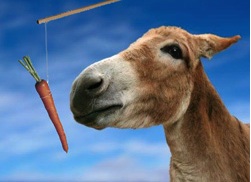
So, what drives you? Sure, money, power and success are all a part of the business world, but they are not an end in themselves. There's more out there, more to do and more to be than just one who follows the carrots that are dangled.

Sunday, December 25, 2011

Merry Christmas

Merry Christmas! Please enjoy a song that my community choir performed for our Winter concert series.
Susani e Tanti Anni Prima from Rebecca Ronshaugen on Vimeo.

Thursday, December 22, 2011

30 Seconds Worth of Advice on PowerPoint

This blog about presenting has gotten away from presenting, specifically. That has a lot to do with where I'm at now, professionally. I'm writing technology articles and working on getting some books published (you can buy my book that's already out if you want). So I'm not spending as much time creating and giving presentations. But I did have occasion to share with a friend recently some of what I've learned in my journey toward becoming a better presenter. I was a bit surprised by how things compressed into just the most important elements.

So, here's my 30 seconds worth of advice on PowerPoint:
Use PowerPoint as a visual channel of communication to back up what you are saying. Don't use bullet points, don't read from your slide and don't turn your back to your audience. If you have more than one sentence on a slide, it's too much. You can give your audience a handout after you present, but while you're speaking, they should focus on you. Sum up your main points, express that with a full-screen picture and type a simple caption. 

That's about all I can say in 30 seconds. What advice would you give in a half-minute? For PowerPoint? For your area of expertise?

Monday, December 19, 2011

Seek Failure, Eschew Mistakes

There's a difference between mistakes and failure. Failure is trying something and not succeeding. Mistakes are errors in judgement, execution or practice. You can fail without making any mistakes, but mistakes will compound failure.

If we fail and learn from it, then we have grown and the work was worth  it. But if we persist in our mistakes we develop habits that lock us into more mistakes.

Seth Godin says:
We need a lot more failures, I think. Failures that don't kill us make us bolder, and teach us one more way that won't work, while opening the door to things that might.
School confuses us, so do bosses and families. Go ahead, fail. Try to avoid mistakes, though.

How can you fail today?

Friday, December 16, 2011

How Would You Reshape Your World?

It seems like most people feel stuck; as if we're not able to affect the world around us or our place within it. I think one of the main draws of the democratic form of government is that it provides the illusion of control without any of the responsibilities of power. But that's not really the point I'm going for here.

Your world is the way it is because of a lot of things that happened to you. You didn't choose your parents or the country in which you were born or where you went to school as a child. You were affected by the choices of others for most of the first 10 or 15 years of your life.

But it seems like we've let that become our conditioned response. We learned that our lives are determined by the choices of others and so we continue in that path, similar to the way we learned how to eat with a knife and fork and we continue that habit. But that's not our only path. We can reshape our own worlds, if we choose to.

But choice is risky. Choice involves pain, effort and an ineffable quality of courage. When you choose, you are standing out from the world that is affected by choice. Certain things are supposedly set in stone, you don't have a choice. You are supposed to go to school as a child and then on to college, after that you get a job, get married, buy a house, have kids, get old, retire and then die. Only two of the things in that list are beyond your ability to choose. Do you want them all?

Every so often I'll just rearrange all the furniture in a room. Not because the old way was bad, but because I need something new. But when I rearrange the furniture, every option is open. I might move the bed into the living room or the dining room table by the front door. I love stripping things down nothing and then rebuilding them in a better way. It's a simple thing to do with a room or a document, but a life is much more difficult.

Over the last two-and-a-half years my life has been chaos. We've been homeless, unemployed, underemployed and overemployed. We sold everything we owned and left everything we knew to head out into the world. We gained amazing friends and were deeply hurt by people we cared about. Today  there isn't much less chaos, we still don't know what the future holds for us. I have two degrees that I'm not using professionally and Andrea has a degree she's not using. We're both certified to teach English, and we're not doing that.

I imagine the first sailor who lost sight of shore relying on a lodestone to guide him. The odd rock is pointing unwaveringly to the north, but with no land in sight, the rock is pointing at nothing. It's a terrifying experience to step out into the unknown, to make a choice when you don't know the consequences, but within that choice is life. And death.

What choices would you make to change your world?

Wednesday, December 14, 2011

How to Make Everything You Do Worth More, Instantly

Appreciating things like art has as much to do with our expectations about the object as it has to do with the actual qualities of that thing. Using functional Magnetic Resonance Imaging to detect neural activity, researchers have found that the stated details about something have a greater impact on how we appreciate something than the actual thing itself.

In one experiment they showed subjects both authentic paintings and copies, before the image was displayed, an announcement was made indicating whether it was real or fake. But, half the time they switched the labels so subjects were looking at a real painting, but told it was fake. The difference was all in the label and not in the real thing. Again wine connoisseur were given sips of wine while in an fMRI and told the price of the vintage. They weren't told, however, that the same wine was reported to have different prices so they stated a preference for the more expensive wine, even when it was exactly the same.

The consistent factor here is the orbitofrontal cortex, it lit up when the expensive wine was tasted and the authentic paintings were viewed. This region of the brain is most often associated with reward and monetary gain. People perceived the label in the same way that they would perceive any other reward, so they assigned greater value to the thing. Value that wasn't inherent merely attributed, yet the brain filled in the gaps and acted as if the object were just as valuable.

So, say good things. Charge more money. Act like what you do is valuable. If you deprecate your time, effort and output verbally, then others will do the same mentally. But, if you assign labels of value to what you do, others will perceive it as valuable.

What ways do you devalue yourself and your work? How could you change that?

Monday, December 12, 2011

Why Printed Books are here to Stay

The ebook will kill the printed book. Right? That's the way that this is all going to work. Video killed the radio star and the circle of life continues. Soon, libraries will be nothing more than electronic repositories of information and books will be antiques and decorative accents. Right?

The problem is that video didn't kill radio, email didn't kill paper and the internet didn't kill, well, anything that it was supposed to (I guess the internet is a big failure). Rather, the addition of electronic versions of the physical media transformed the system. Clive Thompson over at Wired says "In a precise parallel to the office-printing boom, print-on-demand is creating an odd new phenomenon . . . social publishing." So the electronic metamorphosis of books is making more books possible, not fewer. Books can be printed in tiny batches and tailored to small audiences. Special introductions or chapters can be custom written for each audience and unique titles can be printed that would never capture the interest of large publishers.

What do you think the future holds for books and ebooks?

Friday, December 09, 2011

The Waiting is the Hardest Part

Waiting is the point where your decisions are tested.

When I wanted to propose to, who is now, my wife, I called her dad. We talked on the phone for a few minutes and I stumbled and fumbled through my request (I was nervous). At the end of the conversation he said, "I'm going to need to talk it over with my wife and pray about it. Can I call you tomorrow?"

I didn't sleep much that Saturday night and the next day church was a blur. After church, Andrea decided that we should go Christmas shopping (it was, coincidentally, December 9, 2001) and so when her dad called me back I had to put him off for a while until I could get home and have the conversation without Andrea overhearing.

Finally, almost 24 hours after I asked, her parents granted me permission to propose. I waited all of three days after I had the green light.

It's in the moments after we've decided on a course of action, but before the results are known to us that our will is tested. After you've applied for a job, after you've submitted the query letter, after you uploaded your artwork, only after you've stepped out and then begun the interminable process of waiting, do you realize the true import of your decision. Your mind is wracked with all the ways that things could go wrong, you imagine every failure, in excruciating detail. The reality will never be as bad as your imagination.

Waiting is a discipline. Tom Petty was right, the waiting is the hardest part.

Wednesday, December 07, 2011

Does Anyone Care about Your Work?

A drop of water, over time, can change the face of the earth. If the water drops, consistently, in the same spot, nothing can withstand it. Stone will melt away in the face of the onslaught. But it will take time. If the water stops or moves, the progress is lost. It's the consistent action, doing the same thing in the same place, that has the aggregate affect.

Your work is like water. You may want to come in like a torrent and push everything around in a rush. You may see the end that you want, the stones worn down to nubs by your effort, but it won't happen quickly. Even a torrent takes time to build and grow into a raging storm before breaking forth in a flood, and torrents are rare. But drops of water are common. They are everywhere, all the time.

As you create, stay consistent. Keep your message the same, keep your work flowing, maintain your pace. Just keep doing what you're doing. At this moment it might feel as if you're shattering against the rock. Everything you do is broken by the act of sharing it, or worse, it's ignored altogether. But keep doing what you're doing. Your consistency will build an audience. Your work will carve a path. Your time will yield results. Eventually.

How do you stay consistent when you can't see the results of your hard work?

Friday, December 02, 2011

6 Ways to Save Time Every Day

As a writer and a "computer guy" there are some tools that I use on a constant basis because they make me faster and more efficient. As with most things that are familiar, it's difficult for me to imagine what it's like to not know about these tools or be able to use them. Recently I was helping someone with a computer issue and I suggested using "Ctrl+F" and received a blank stare in return. I can't count the number of times I use "Ctrl+F" on a daily basis, so I was shocked. So, here are the productivity tips and tricks that I use all the time.


Ctrl+F - This is the universal keyboard shortcut to open the "Find" menu, whether it's in Word, Adobe Reader or your favorite internet browser. Press this key combination and then type the word or phrase that you want to find in the document. You can quickly get to the relevant part of the text without having to scroll through the rest of it. Just hit "Enter" to move to the next successive match in the document.

Aero-Snap - This feature of Windows 7 (also available in Windows XP and Vista with an additional program) lets you drag a window to one side of the screen and it will snap to cover half of the screen. Drag another window to the other side and you have two windows that fill the screen area perfectly. Especially when I'm writing articles from a detailed source, this is very helpful.

Ctrl+C, Ctrl+V and Ctrl+Shift+V - The first two are the universal keyboard shortcuts for copy and paste. I'm constantly copying links and titles for references and then pasting them into my articles. The last shortcut is to paste without any formatting. So if you want to quote something from a site or document that has formatting that will conflict with your current document, use Ctrl+Shift+V to paste in just the text by itself without any formatting.

Phrase Express - This is a small program known as a text expander. If you've ever written documents in a program like Microsoft Word, you've used a text expansion tool. Word will automatically replace commonly misspelled words for you, and it allows you to set up rules for expanding abbreviations, if you want it to. Tools like Phrase Express take that show on the road. You can have the same text replacement features in any program on your computer. Since most of my writing is happening in a web browser, this is hugely important to me. It also has the ability to show me the last twenty items on my clipboard so I can go through and copy a bunch of information and then paste it all into my document at one time rather than having to switch back and forth for each copy and paste actions.

Google-fu - There are lots of power search tools that let me get right to the resources I need. Google allows you to tailor your search using text modifiers. So, if I want to search for an exact phrase, I enclose it in quotation marks. If I want search within a site, I type "site:TheURLoftheSite.com" after the search string. If I want to search for only PDF files, then I type "filetype:pdf" after the search string. This is a useful way to find the manual for a product that may not be listed prominently on a website.

Drag-and-Drop Search - Google Chrome has a feature that I use constantly. You can highlight text on any site and then click and drag that text up to the tab bar at the top of the window. A little arrow will appear to let you know what's happening. If the arrow points directly to a tab, then releasing the mouse button will start a new search for that text on that tab. If the arrow is pointing between tabs, a new tab will be created at that spot for the search. 

Thursday, December 01, 2011

NaNoWriMo Wrap Up

At 8:30pm last night I clicked over 50,000 words for the month of November. I've been working on a novel for National Novel Writing Month and it has been a rewarding experience. I've grown to like my characters, and I'm surprised when they take the plot in a direction I didn't imagine. I'm caught up in the story and I want to know what happens next. I suppose that's a good sign.

As of this morning I'm at 53,292 words as the story continues. I expect that I'll finish up somewhere between 70,000 and 100,000 words when it's all done. Then comes to process of editing. For some reason editing is never as much fun as the writing, but without editing the writing is nearly worthless. Think of it like a sculpture. The artist sees the shape in the roughly cut block of stone, but it's not until all of the details have been carved that everyone else can perceive what the sculptor saw all along. Editing makes it possible for the world to see what you see in your writing. Creative processes are not just about making something new, but making something new that is also refined. Ideas can't stand alone, they must be supported by diligent revision and editing.

What have you been creating? How will you refine it into something great?